
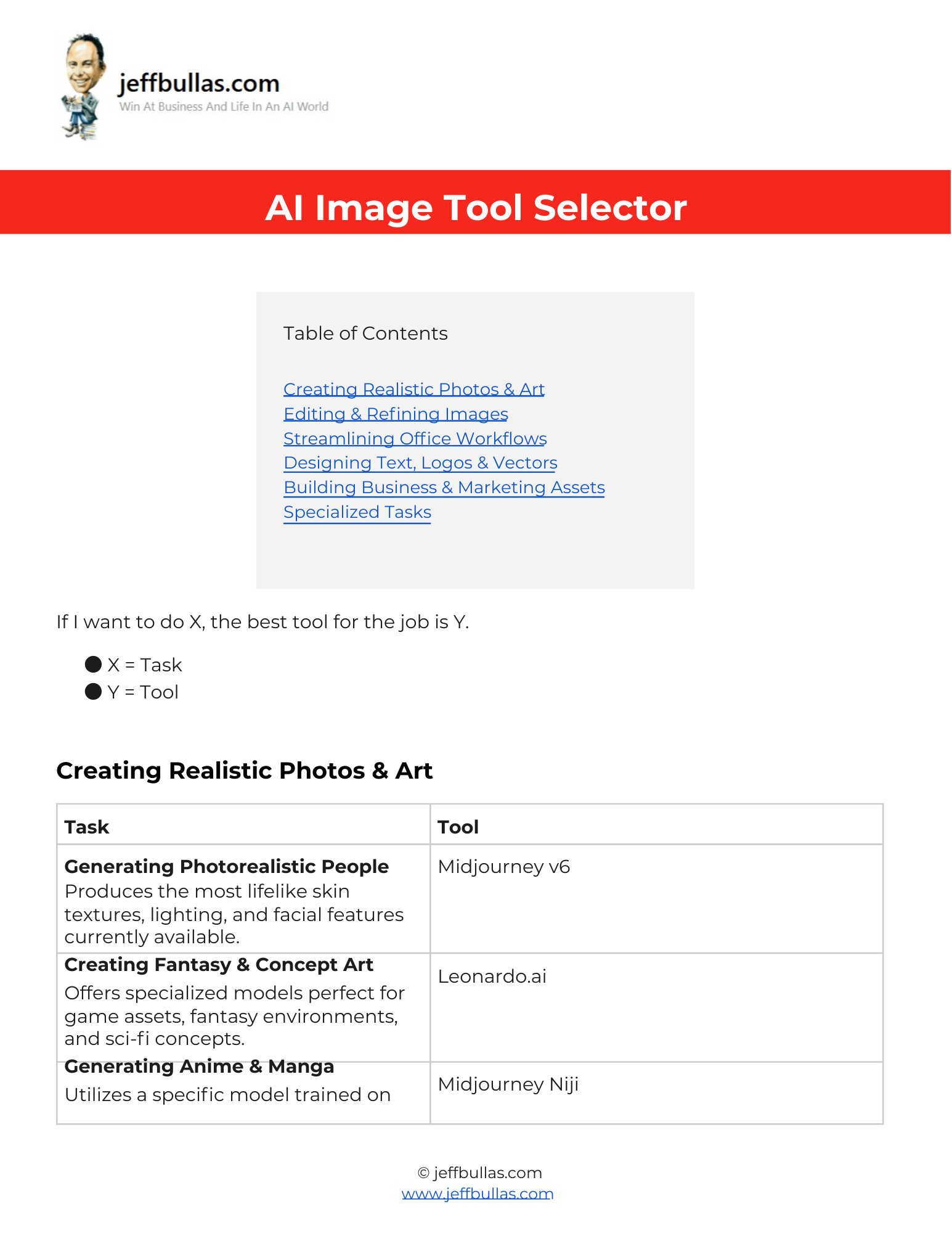
This resource helps you quickly identify the exact AI tool needed to execute specific creative and administrative tasks, ranging from generating photorealistic art to designing professional logos. By matching your desired outcome with the best tool for the job, you can streamline your workflow and avoid wasting time on software that isn’t suited for your needs.
AI Image Tool Selector
This AI Image Tool Selector breaks down the vast landscape of artificial intelligence software into a clear “Task equals Tool” framework. The content spans five major categories: Creating Realistic Photos & Art, Editing & Refining Images, Streamlining Office Workflows, Designing Text, Logos & Vectors, and Building Business & Marketing Assets. It provides specific recommendations for over 20 distinct activities, ensuring you have the right technology for everything from restoring old photos to generating commercial-safe marketing materials.
How this helps you apply the information
You can instantly locate the best software for high-quality visual outputs, such as using Midjourney v6 for lifelike skin textures or Flux for food photography. The selector also helps you solve technical design problems, such as using Ideogram to render accurate text or Recraft to create scalable vector graphics that don’t pixelate.
Who is this ideal for?
This is ideal for content creators, designers, and marketers who need to produce specific assets like social media posts, app icons, or merchandise graphics. It is also highly beneficial for office professionals who want to speed up presentation building using tools like Gemini for Workspace or Microsoft Copilot.
Concluding thought
By consulting this list before starting a project, you ensure that you are using the most capable tool available for your specific objective, whether that involves standard image generation or specialized tasks like 3D modeling.
How to Use This
- Make Your Own Editable Copy:
- Open the link provided to access the master Google Doc.
- Once the Google Doc is open, navigate to the menu: File > Make a copy.
- A dialog box will appear. You can rename your copy if you wish and choose where to save it in your personal Google Drive.
- Click “Make a copy.” This action saves an editable version of the document to your Google Drive.
- Using the Strategies:
- Identify your category: Determine if your task involves creating art, editing images, office workflows, vector design, or marketing assets.
- Select the specific task: Look for the exact action you need to perform, such as “Generating Photorealistic People,” “Removing Backgrounds,” or “Designing Brand Logos”.
- Choose the recommended tool: Use the tool listed next to your task; for example, select Midjourney v6 for realistic people or Photoroom for background removal.
- Apply to workflows: If you are working in documents, use Gemini for Workspace or Microsoft Copilot to generate visuals directly inside your slides or documents.
- Handle specialized needs: For unique requirements, use tools like ConsistentCharacter.ai to keep facial features consistent or Meshy to turn text prompts into 3D models.
Frequently Asked Questions
Which tool is best for generating realistic human images?
Midjourney v6 is recommended because it produces the most lifelike skin textures, lighting, and facial features currently available.
Can I use AI to fix old or blurry photographs?
Yes, Topaz Photo AI is the suggested tool for restoring old photos by sharpening blur, removing noise, and fixing artifacts.
Is there a tool that helps with spelling text inside generated images?
Ideogram is the best tool for rendering accurate text because it spells words correctly within generated images, solving the common “gibberish text” problem.
What should I use to create vector graphics that can be resized?
Recraft is recommended for creating vector graphics because it generates scalable SVG files that can be resized indefinitely without pixelation.
How can I visualize interior design changes for a room?
You should use REimagine Home, which redesigns furnished or empty rooms in seconds based on your chosen style, such as Modern or Bohemian.
Is there a tool safe for commercial use?
Adobe Firefly is recommended for generating commercial-safe assets because it is trained on licensed Adobe Stock images.