
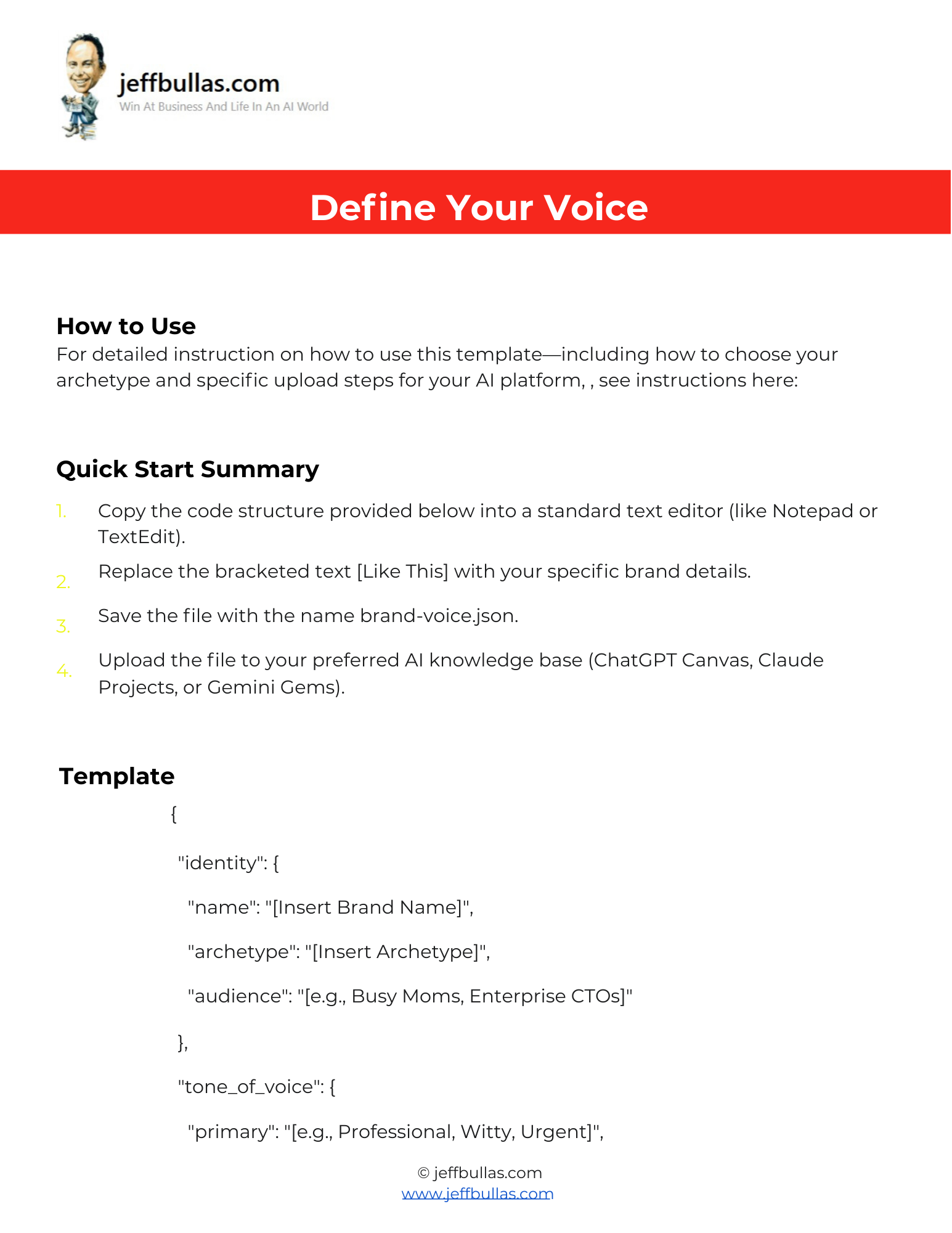

This template eliminates ambiguity by replacing unstructured documents with clear instructions that AI models understand immediately. It ensures consistency by forcing the AI to adhere to your specific rules rather than guessing your vibe, while streamlining workflows by allowing for instant uploads to knowledge bases. It also defines strict boundaries by explicitly listing what to avoid, such as passive voice or forbidden words.
Define Your Voice (Fill-In-The-Blanks Template)
Most people struggle to explain their brand voice to an AI, often pasting in messy documents that cause confusion . This template fixes that by converting your soft brand rules into the precise instructions that AI models prefer . It forces the model to write in your specific tone every single time, without you needing to be a coder .
How this helps you apply the information
You simply fill in the blanks to define your identity, including your name, archetype, and target audience . The template lets you dictate exact tone preferences, such as “Professional” or “Witty,” and enforce formatting rules like bullet point usage . It also allows you to set negative constraints, ensuring the AI never uses forbidden phrases or unwanted styles .
Who is this ideal for?
This is ideal for businesses and creators using tools like ChatGPT, Claude, or Gemini who need their AI to write in a specific, consistent tone .
Concluding thought
By using this standardized format, you create a “Best-in-Class” system for text generation that protects your brand’s unique personality .
How to Use This
- Make Your Own Editable Copy:
- Open the link provided to access the master Google Doc.
- Once the Google Doc is open, navigate to the menu: File > Make a copy.
- A dialog box will appear. You can rename your copy if you wish and choose where to save it in your personal Google Drive.
- Click “Make a copy.” This action saves an editable version of the document to your Google Drive.
- Fill Out the Template: Replace the bracketed text [Like This] with your specific brand details.
- Select Your Archetype: In the
archetypefield, replace the bracketed text with the persona that best fits your business goals :- The Sage: Values wisdom, truth, and intelligence (e.g., research firms) .
- The Caregiver: Focuses on service, protection, and empathy (e.g., healthcare) .
- The Creator: Prioritizes innovation, imagination, and vision (e.g., design agencies) .
- The Everyman: Connects through relatability, humility, and simplicity (e.g., home goods) .
- The Ruler: Leads with authority, power, and exclusivity (e.g., luxury brands).
- Transfer to Text Editor: Copy only the filled-out template section starting with { and ending with } into a standard text editor like Notepad or TextEdit, excluding the document instructions and footer.
- Save and Upload: Save the file with the name
brand-voice.jsonand upload it to your preferred AI knowledge base (ChatGPT Canvas, Claude Projects, or Gemini Gems).
Frequently Asked Questions
Does this work for image generation?
No, this template focuses strictly on “Verbal Voice” and is designed for text generation, not visual tools like Midjourney.
What file format should I use?
You should save the completed file as brand-voice.json before uploading it to your AI tool.
Can I stop the AI from using specific words?
Yes, the template includes a section for “strict do nots” where you can list forbidden words and phrases.