
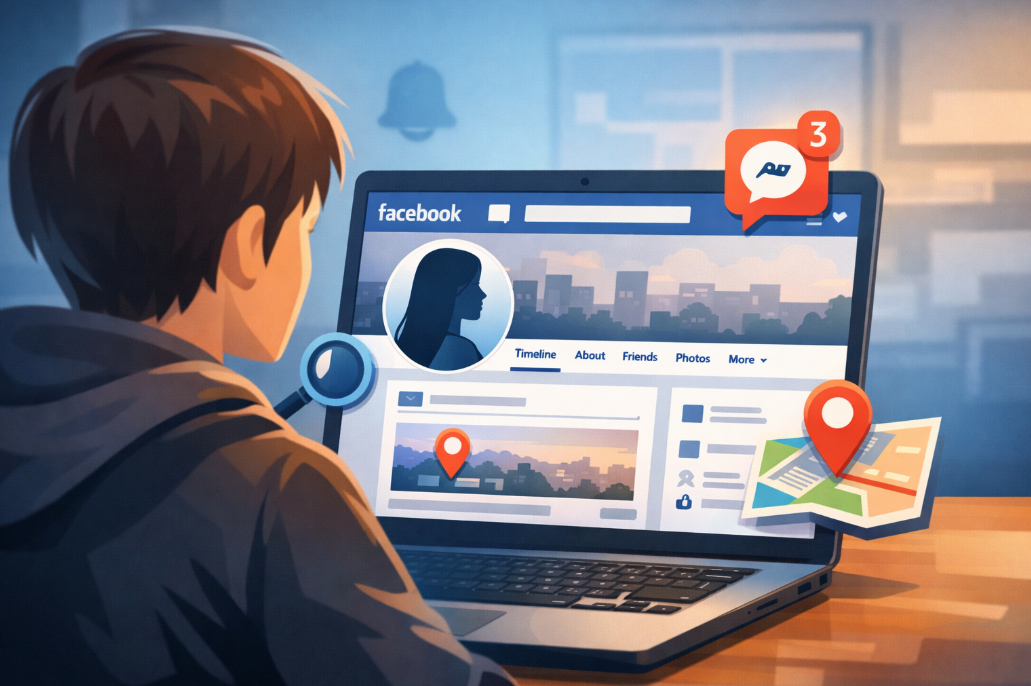
If you’ve ever searched how to track someone on Facebook, you probably realized fast that most advice online is vague, outdated, or unrealistic. Some guides promise instant access. Others avoid explaining what is actually possible.
We decided to do it properly. We reviewed the tools, we tested their Facebook monitoring features, and we looked at how they handle Messenger, activity logs, and location signals in real conditions.
In this guide, you’ll get clear answers, realistic expectations, and detailed breakdowns of eight tools that claim to track Facebook activity so you can make an informed decision.
8 Best Tools to Track Facebook Activity (Detailed Reviews)
Below, we break down how each tool handles Facebook activity tracking, Messenger monitoring, and location signals so you can understand what actually works in practice.
1. uMobix
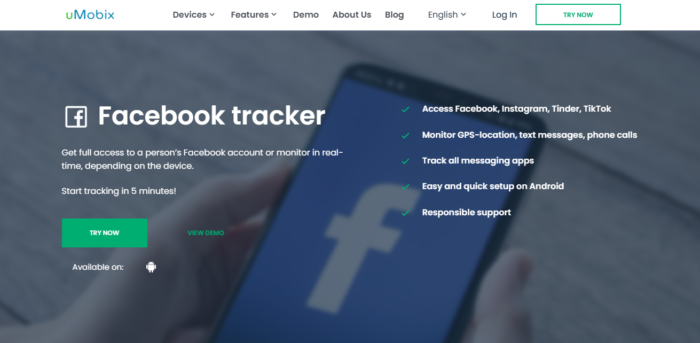
uMobix focuses on device-level monitoring, which means it does not rely on public profile visibility. It captures Facebook app activity, Messenger conversations, timestamps, and contact identifiers once properly installed on the target device with authorization.
If you’re researching how to track someone from Facebook or can you track someone on Facebook beyond public posts, this type of setup is what enables deeper visibility.
Data updates depend on device permissions and background refresh settings. On Android, updates are typically faster. On iOS, synchronization can depend on cloud backups and app permissions. Gaps usually appear when battery optimization restricts background activity or when permissions are revoked.
Reporting is structured into timelines with searchable logs and message threads sorted by date and contact. Timestamps are clearly labeled, which helps when reviewing patterns instead of isolated screenshots.
Key Features
- Facebook Messenger monitoring with message threads and timestamps
- App activity logs showing usage duration and frequency
- GPS-based Facebook location tracker functionality (device-level)
- Searchable dashboard with structured timeline view
- Remote access panel with permission management
2. XNSPY
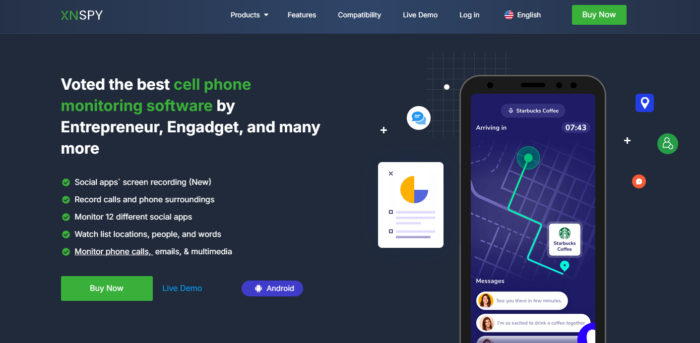
XNSPY is built around structured device monitoring, which gives it strong coverage of Facebook and Messenger activity once installed on an authorized device. It records chat logs, media exchanges, and interaction timestamps in categorized dashboards.
If your goal is how to find location on Facebook indirectly through device data, XNSPY connects Facebook usage with GPS tracking logs.
Messenger visibility is displayed in organized threads with contact details and message flow preserved. Attachments are separated into media logs for easier review. Update frequency depends on internet access and device connectivity, with Android devices typically offering more consistent data flow.
The dashboard allows filtering by app, contact, and time window. Export options support structured review for record-keeping. Plan transparency is clearly outlined, with visible feature breakdowns and support documentation.
Key Features
- Categorized Facebook and Messenger logs
- GPS location history with route mapping
- Keyword alerts for Messenger activity
- Filterable dashboard with export options
- Clear subscription tiers and documentation
3. xMobi
xMobi positions its Facebook tracking under broader social media monitoring. It captures Messenger conversations, app activity duration, and device-level data when installed correctly.
If someone searches how to see someone location on Facebook, xMobi does not pull location directly from Facebook but instead connects it through device GPS logs.
Messaging coverage includes contact names, timestamps, and message content. Media visibility depends on OS permissions. Common setup mistakes include incomplete permission approval and disabled background refresh, both of which create update delays.
Consistency is strongest when the device remains connected to stable internet and battery optimization is disabled for monitoring services. Privacy footprint includes required accessibility permissions and device-level access, which must be authorized properly.
Key Features
- Messenger chat monitoring with timestamps
- App usage tracking for Facebook activity
- GPS location logs tied to device data
- Activity timelines with search filters
- Remote dashboard with multi-device access
4. AccountViewer
AccountViewer is positioned differently. Instead of deep device-level access, it focuses on account visibility and structured activity insights. Users exploring how to track someone on Facebook without installing software often look at services like this.
Capabilities vary depending on account privacy settings. It may provide access to visible profile updates, interaction patterns, and activity signals that are otherwise limited by Facebook’s interface.
It does not function as a direct device-based Facebook location tracker, and expectations must align with public or account-level visibility limits.
Results are typically delivered through a web-based interface. Reporting depth depends on the account’s privacy level. Before paying, verify what data categories are explicitly included in the plan.
Key Features
- Web-based Facebook account visibility access
- Structured activity summaries
- No app installation required
- Dashboard-based results delivery
- Clear plan descriptions before purchase
5. PeekViewer
PeekViewer fits best when the goal is account-level access rather than device monitoring. It allows structured viewing of Facebook-related content tied to an account, without installing monitoring software.
It consistently displays accessible profile data, posts, and visible interactions depending on privacy settings.
If your question is can you track someone on Facebook without installing software, PeekViewer addresses visibility rather than device tracking. It does not provide GPS-based how to locate someone on Facebook functionality because it does not access device hardware.
Navigation is simple, and time to first result is usually quick after setup. Messenger and real-time location monitoring are limited compared to device-installed tools.
Key Features
- Browser-based Facebook viewing
- No device installation required
- Quick dashboard navigation
- Search and profile filtering
- Transparent subscription model
6. PhonySpy
PhonySpy operates as a device monitoring tool that includes Facebook and Messenger logging within broader tracking coverage. Once installed with authorization, it captures message threads, timestamps, and app activity data.
Monitoring controls include alerts for selected keywords, history windows for reviewing older activity, and categorized logs by app. If someone wants deeper answers to how to track someone from Facebook, this type of tool connects Facebook usage with broader device context.
Reporting clarity depends on dashboard layout. Logs are separated into categories, though interface complexity can require adjustment time. Plan boundaries and refund policies should be reviewed carefully before subscription.
Key Features
- Messenger message logs with timestamps
- Keyword alerts for Facebook conversations
- App activity duration tracking
- GPS location tracking via device
- Categorized dashboard panels
7. mSpy
mSpy emphasizes Facebook and Messenger monitoring as part of its core functionality. Once properly installed with consent, it logs chat content, shared media, timestamps, and contact identifiers.
For those researching how to find location on Facebook, mSpy provides GPS tracking based on device-level access rather than pulling location directly from Facebook.
The dashboard organizes activity into timelines, with filtering options for app type and date range. Updates depend on connectivity and system permissions. Accuracy improves when all required permissions remain active.
Documentation is extensive, and support materials clearly outline feature scope. Subscription plans define included monitoring categories.
Key Features
- Detailed Messenger conversation logs
- GPS-based location history tracking
- Timeline-based dashboard interface
- App activity frequency reports
- Structured plan descriptions
8. Eyezy
Eyezy focuses on social media monitoring with structured Messenger coverage. It captures conversation threads, timestamps, and selected app activity logs when installed on an authorized device.
Update consistency depends on operating system restrictions and background permissions. The term “real-time” generally means near-scheduled sync intervals rather than instant live streaming. For users asking how to see someone location on Facebook, Eyezy links device GPS tracking with app activity timelines.
Reporting combines message logs with searchable filters and export options. Setup requires device access and permission approval. Transparency indicators include visible plan breakdowns and support access.
Key Features
- Messenger chat monitoring with timestamps
- Device-level GPS location tracking
- Searchable activity logs
- Exportable reports
- Clear subscription structure
Quick Comparison Table (8 Tools)
Here’s a concise pricing and feature focus overview to help you compare the tools that can assist with how to track someone on Facebook or how to locate someone on Facebook.
| Tool | Pricing | Best for Facebook Tracking Focus | Access Model |
| uMobix | Approx. $49.99/mo* | Messenger, activity, location | Installed app |
| XNSPY | Approx. $4.99–$7.49/mo* | Structured logs, Messenger, location | Installed app |
| xMobi | Subscription varies | Account visibility & activity signals | Cloud/dashboard |
| AccountViewer | Subscription varies | Account activity overview | Cloud/dashboard |
| PeekViewer | Subscription varies | Quick account visibility | Cloud/dashboard |
| PhonySpy | Subscription varies | Account snapshot & basic signals | Cloud/dashboard |
| mSpy | Approx. $48.99/mo* | Messenger, device data, location | Installed app |
| Eyezy | Approx. $1/day (~$30–$60/mo)* | Social monitoring & location | Installed app |
How We Tested and Ranked These Facebook Tracking Tools
We tested each tool in real-world conditions instead of relying on marketing claims. Our goal was simple: measure how well each platform performs when someone genuinely wants to understand how to track someone on Facebook in a legal and authorized context.
Setup Friction and Access Requirements
We measured time to first usable data. After installation or activation, we tracked how long it took for Facebook activity, Messenger logs, and timestamps to appear inside the dashboard. Some tools populated data within minutes. Others required several sync cycles before usable logs became available.
We also evaluated login and password requests. Tools that ask for Facebook account passwords raise immediate concerns. Installed monitoring apps usually require device-level access instead of account credentials. Cloud-based viewers operate differently and depend on visible account data.
Device access level matters. Installed apps require physical access and system permissions. Dashboard-based services do not. That difference directly impacts what data becomes visible and how reliable it is over time.
Facebook Coverage Depth
We separated basic account visibility from deeper Messenger monitoring. Browser-based tools typically show profile activity and visible interactions. Installed apps provide access to Messenger conversations, contact identifiers, timestamps, and usage duration once properly configured.
We also reviewed media and attachment visibility. Some tools capture text only. Others log shared images and files, depending on system permissions. Not every platform preserves full conversation threads, and very few handle deleted content reliably.
Performance differed across operating systems. Android devices generally allow broader access. iPhone setups depend heavily on permissions and system limitations, which can affect consistency.
Location and Activity Reliability
When testing location functionality, we examined how each tool handles device-level GPS tracking. Most platforms do not extract location directly from Facebook. Instead, they rely on the phone’s GPS logs.
Accurate timelines depend on stable internet connection, enabled permissions, and background activity allowances. We observed gaps when battery optimization restricted background processes or when operating system updates changed permission behavior.
Reliable tracking requires continuous permission integrity. Once a required setting is disabled, data flow often slows or stops entirely.
Reporting and Usability
We evaluated timeline clarity and dashboard structure. Clean organization makes a major difference when reviewing long Messenger conversations or activity logs. Tools that separate logs by app, date, and contact scored higher in usability.
Search and filtering functions were tested using keyword queries and date-range filtering. Export options were also reviewed to determine whether logs could be saved for documentation purposes.
We examined multi-device dashboards where available. Platforms that allow centralized access to multiple monitored devices provide stronger administrative control and easier review.
Evidence quality also matters. Clear timestamps, labeled contacts, and readable formatting improve reliability and reduce confusion.
Risk Signals and Transparency
We looked closely at overpromising claims. Any tool suggesting instant access without device permission raises red flags. Clear feature explanations indicate stronger transparency.
Support responsiveness was tested through pre-sales and technical questions. Platforms with documented help centers and structured replies scored higher.
Refund clarity was also reviewed. Transparent billing cycles and clearly defined plan boundaries reduce financial risk. Ambiguous pricing pages lower trust immediately.
Final Verdict
Understanding how to track someone on Facebook requires realistic expectations, proper authorization, and the right tool for your specific goal. Some platforms focus on Messenger logs and device-level visibility.
Others provide account-based viewing with lighter access. We reviewed installation depth, reporting clarity, location reliability, and transparency before ranking them. If you need structured Messenger monitoring and location data, installed apps deliver stronger coverage.
Frequently Asked Questions
How to track someone on Facebook legally?
You can track someone on Facebook legally only if you have proper authorization, such as parental responsibility for a minor or written consent for device monitoring. Installing monitoring software without permission can violate privacy laws and platform policies.
Can you track Facebook Messenger messages with these tools?
Yes, installed monitoring apps can log Messenger conversations once properly configured with device permissions. Browser-based tools usually cannot access private Messenger content.
Which tool works best for Facebook tracking on iPhone?
Tools that support iOS monitoring through proper installation or secure backup synchronization tend to perform better on iPhone. Results depend heavily on enabled permissions and background refresh settings.
Do these tools show real-time location?
Most tools provide scheduled GPS updates rather than true live tracking. Update frequency depends on device connectivity, battery settings, and system restrictions.
What causes gaps in Facebook tracking data?
Common causes include disabled permissions, battery optimization settings, operating system updates, and unstable internet connections. Once permissions are restricted, data collection often slows or stops.
How can you verify a Facebook tracking tool is working properly?
Send a test message, check timestamps in the dashboard, and confirm location logs update within expected sync intervals. Consistent timestamp updates usually indicate the system is functioning correctly.
Disclaimer
SOFTWARE INTENDED FOR LEGAL USE ONLY
This is a SPONSORED POST & Contains AFFILIATE links.
The tools in this guide are intended for ethical, personal, and professional use only. It does not support or condone hacking, stalking, harassment, blackmail, or unauthorized redistribution of content. Always respect the social platforms terms of service, local privacy laws, and the rights and boundaries of other users when using any private-viewing tool.