Win At Business And Life In An AI World

RESOURCES

  • Jabs Short insights and occassional long opinions.
  • Podcasts Jeff talks to successful entrepreneurs.
  • Guides Dive into topical guides for digital entrepreneurs.
  • Downloads Practical docs we use in our own content workflows.
  • Playbooks AI workflows that actually work.
  • Research Access original research on tools, trends, and tactics.
  • Forums Join the conversation and share insights with your peers.

MEMBERSHIP

HomeResearchBest AI Avatar Generators (2025)

Best AI Avatar Generators (2025)

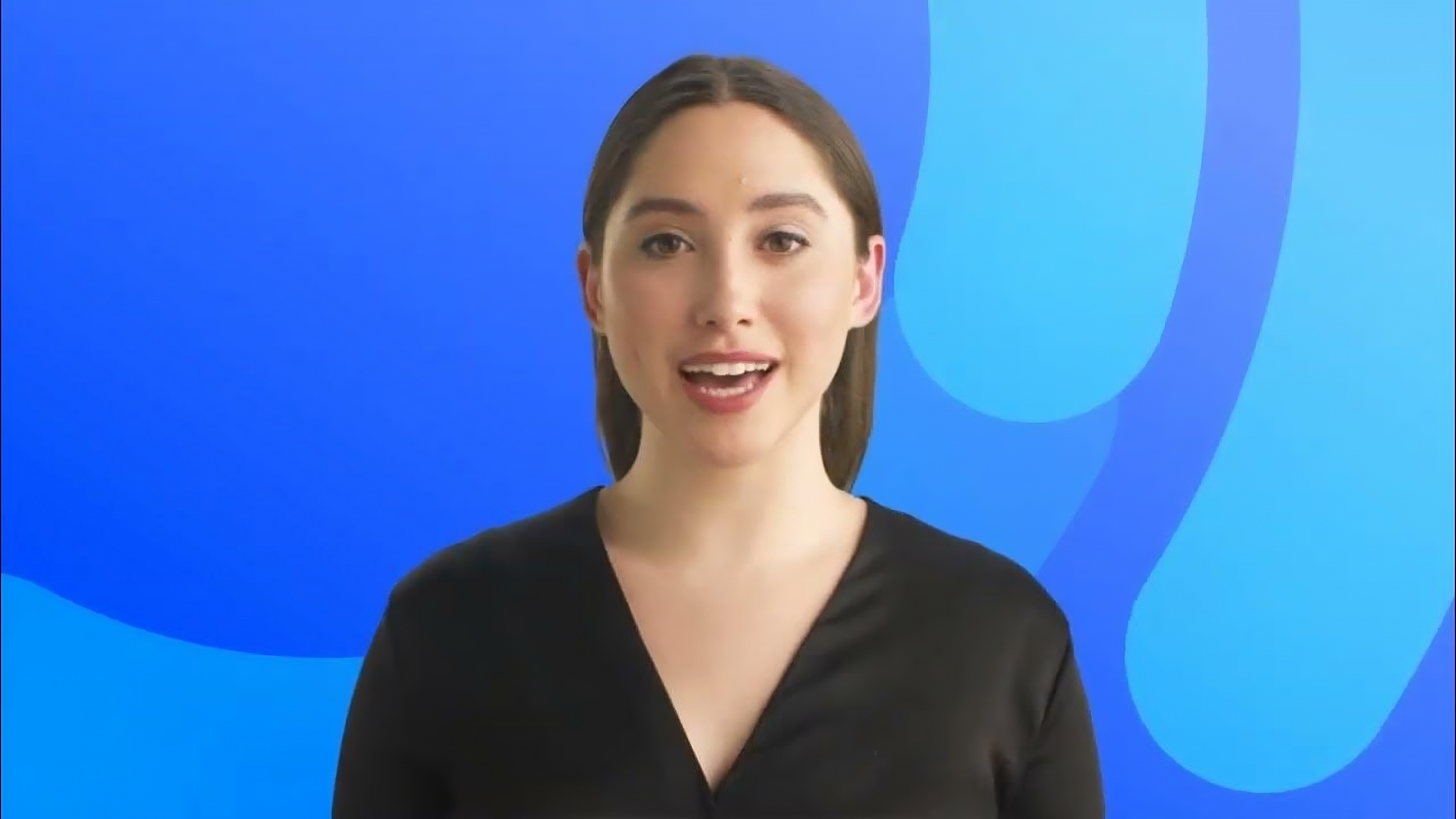
AI-Generated Avatar

AI avatars have rapidly expanded into diverse content formats – from short social clips to full e-learning courses. Below, we examine key use cases (social media, YouTube, podcasts, e-learning, webinars, and corporate training), highlight the top AI avatar generators for each, and evaluate each tool’s features, user feedback, pros, cons, and ideal use cases. Each section ends with the best overall tool recommendation for that scenario, followed by an overall winner across all categories.

Social Media Content (Short-Form Videos & Ads)

Best AI Avatar Generator for Social Media Content

HeyGen is the top choice for short-form social content. Users praise its simple, template-driven workflow and ultra-realistic avatars that avoid the uncanny valley. It strikes an excellent balance of quality and simplicity, enabling marketers to crank out engaging posts and ads frequently.

Runner-up: Synthesia offers higher-end polish and more templates, but its cost and limits make it better suited to bigger budgets. For most creators in 2025, HeyGen’s affordability and ease give it the edge in social media marketing.

Social media demands quick, engaging video content. AI avatars enable marketers to create eye-catching short videos or ads with virtual brand ambassadors fast – without filming. Important features here are ease of use, speedy output, vertical video templates, and affordability (since content volume is high). The tools below excel at generating short-form videos ideal for platforms like Instagram, TikTok, and Facebook:

HeyGen

Notable features: AI video generator with 100+ avatars; Canva-like editor; multi-scene videos; text-to-speech with 80+ languages.

Pros

  • Incredibly intuitive, drag-and-drop interface
  • Quick video generation (minutes)
  • Realistic avatars & best-inclass lip-sync (natural, not “uncanny”)

Cons

  • Higher pricing than some peers (Creator plan ~$59/mo)
  • Support can be slow or unhelpful, per some users
  • Frequent feature updates can require re-learning the UI

Best for: Short social videos, influencer-style content, promo clips – especially for individuals or small teams needing speed and ease.

Synthesia

Notable features: Popular AI video platform with 140+ lifelike avatars, 120+ languages; rich template library for marketing, training, etc.

Pros

  • Polished, studio-quality avatars that look professional
  • Wide language support for global campaigns
  • Templates for ads, explainers, etc. provide a head start

Cons

  • Strict video length limits on lower plans (e.g. ~10 mins/month on Starter)
  • Higher cost for heavy use (unlimited use requires enterprise plan)
  • Content moderation delays: videos may need 24h review if flagged

Best for: High-production value social content and ads where realism and brand polish matter. Suited for agencies or brands with a budget.

D-ID Creative Studio

Notable features: Avatar video tool that animates any photo into a talking character; voice cloning and realtime lip-sync; API and integrations for automation.

Pros

  • Instant avatar from a single image, great for making a spokesperson from a photo
  • Very fast turnaround for short clips
  • Affordable entry (plans from ~$5.90/mo)

Cons

  • Avatars are image based – not as many pre-made characters as others
  • Best for simple talkinghead videos (less suited to complex scenes)
  • Some advanced features (interactive agents) geared more to developers/API use

Best for: Creating quick talking-head videos for social posts or personalized video messages at scale. Good for turning a photo (e.g. of a founder or mascot) into a talking avatar for promos.

Colossyan Creator

Notable features: AI video generator with 200+ diverse avatars and interactive video options (quizzes, branching scenarios).

Pros

  • Easy as “making a PowerPoint” – very user-friendly editor
  • Custom avatar from your photo in minutes (fun for on-brand social characters)
  • Free plan available to experiment

Cons

  • Primarily focused on training use cases (some social media templates but not its main angle)
  • Lacks a large community compared to Synthesia/HeyGen (smaller user base)

Best for: Social videos that benefit from interaction (e.g. quizzes in Stories), or creators who want a quick custom avatar. Also a good all-around alternative if neither Synthesia nor HeyGen fully fit your needs.

YouTube and Longer Videos

Best AI Avatar Generator for YouTube

Synthesia edges out the competition for YouTube content, thanks to its studio quality avatars and robust language support, which is crucial for reaching broad audiences. Its videos have a polished, corporate feel that keeps viewers engaged and trusting the content. While HeyGen offers comparable avatar quality (and even superior lip-sync), Synthesia’s extensive avatar library and enterprise-grade reliability make it the go-to for longer or high-stakes YouTube videos.

For individual creators, we note that HeyGen is a close second – more budget-friendly and extremely easy to use for dynamic YouTube videos. But overall, Synthesia’s breadth of features and proven quality make it the best overall choice for YouTube in 2025.

YouTube demands longer, high-quality videos – either educational, how-to, or entertainment content. AI avatars can serve as on-camera hosts for YouTube videos, allowing creators to produce consistent content without appearing on camera. Key considerations are video realism (viewers may watch on large screens), voice quality, and editing flexibility for longer scripts. Below we compare tools ideal for YouTube:

Synthesia

Notable features: Leading AI video platform turning scripts into videos with human-like presenters. Offers 230+ avatars (diverse ages, ethnicities) and supports 140+ languages. Custom avatar creation available (clone yourself on-screen). Integrates with editors via API.

Pros

  • High realism avatars: Professional look suitable for brand channels
  • Huge language and voice library for international YouTube
    audiences
  • Polished templates and scenes for presentations, demos, etc.

Cons

  • Avatars almost human but on big screens a trained eye may catch subtle
    unnatural movements
  • Pricing limits: starter plan (~$25–29/mo) caps video minutes (e.g. ~10 mins/month), so regular long videos require pricier plans
  • Little live motion beyond the speaking presenter (may feel static for
    very dynamic content)

Best for: Educational and corporate YouTube content where authority and clarity matter (e.g. tutorials, corporate explainers). Great for companies repurposing training content to YouTube with a consistent virtual host.

HeyGen

Notable features: AI video maker with a slick, scenebased editor (supports multiple
scenes in one video). 100+ avatars and strong lip-sync. Allows custom outfits and
background generation for creative scenes.

Pros

  • Multi-scene videos: easily combine scenes for story-style YouTube videos (e.g.
    cut from an avatar explaining to a product demo)
  • Excellent lip-sync accuracy and natural facial expressions, often “wow”-worthy
  • Intuitive dragdrop timeline – easy for non-editors to produce a full video

Cons

  • Lacks some advanced customization of Synthesia (e.g. fewer total avatars and fine avatar controls)
  • No native interactive quizzes or analytics (focused on linear video)
  • Collaboration features (for teams co-creating a video) are limited

Best for: YouTube marketing videos, vlogs or product explainers by
small businesses and creators. Ideal when you want to quickly assemble a longer
video with multiple scenes and a personable AI host – without complex editing.

Descript

Notable features: All-in-one audio/video editing software with AI avatars and voice
cloning integrated. Lets you create a talking-head video by simply editing text (like a doc). Comes with a few stock avatars or use a custom trained on your footage.

Pros

  • Text-based editing: type or paste your script and generate an avatar video;
    editing the transcript auto-edits the video
  • Powerful audio tools: remove filler words, noise, or even clone your own voice for narration
  • Integrates screen recording and webcam, so you can mix avatar segments with real demos or interviews easily

Cons

  • Not exclusively an avatar tool, so avatar selection is smaller and less “polished”
    than Synthesia’s
  • Learning curve for advanced features (it doubles as a pro editor)
  • Avatar usage minutes are limited per month on midtier plans

Best for: Content creators who script their YouTube videos – Descript is great if
you want to write your narration and have an AI avatar (or your cloned voice over
slides) deliver it. Best for tutorial videos, software demos, or podcast-style videos where editing efficiency is key.

Elai.io

Notable features: User-friendly AI video generator with 80+ stock avatars (including cartoons and even animated mascots). 100+ templates and convenient
PPT-to-video conversion.

Pros

  • Very intuitive interface – ranked highly for ease of use
  • Many templates to turn blog posts or slides into videos quickly (good for
    repurposing content)
  • Offers free trial and affordable plans (starting ~$23/mo), lowering the barrier for new YouTubers

Cons

  • Avatar realism is solid but slightly less convincing than toptier (some characters feel a bit “flat”)
  • Fewer language options (28 languages for voice cloning, versus 80+ in others)
  • Lacks the brand prestige of bigger platforms (smaller community/support resources)

Best for: YouTube beginners and educators on a budget. Elai shines for quickly creating course style videos or narrated slideshows with a friendly avatar, without much technical know how.

Podcasts and Audio Content

Best AI Avatar Generator for Podcasts and Audio Content

Descript (Overdub) emerges as the most practical and user-friendly tool. It not only allows superb AI voice cloning to maintain your podcast host’s voice, but also streamlines the entire editing workflow in one place. Podcasters love the time saved by editing words on a page and having the audio update automatically. This makes Descript a game-changer for producing polished episodes quickly.

Podcasts are primarily an audio medium, but AI avatars still play a role – mainly through AI-generated voices (voice “avatars”) that can host or narrate podcast episodes. Creators use AI voices to save time in recording, to create voices that they don’t have in-house (e.g. for characters or multiple hosts), or to localize podcasts into other languages. Additionally, some podcasters turn their audio shows into video podcasts by pairing the audio with an AI avatar on screen (a “vodcast”). Here are top tools for AI-driven podcast creation:

Descript Overdub

Notable features: Voice cloning and editing tool within Descript. It can clone your voice from a few minutes of training audio and let you generate new speech in your own voice. Also provides stock voices.

Pros

  • Seamless editing: Edit your podcast by editing text – Overdub will generate the needed audio in the same voice, great for fixing mistakes or adding lines
  • Highly realistic clones if trained well; maintains your unique tone and style (listeners often can’t tell the difference)
  • Integrated with full podcast editor (transcription, filler word removal, noise reduction in one app)

Cons

  • Consent and ethics: Only clones voices with permission (which is good practice), so you can’t just imitate anyone
  • Cloned voice may sound slightly monotonic on long segments – best used to supplement a real recording (e.g. patching in fixes) rather than generate hour-long speech from scratch
  • Requires clear training audio to get a quality clone

Best for: Podcasters who want to streamline editing and have the option to generate their narration via AI. Ideal for solo hosts – your AI voice can handle last-minute script changes or even entire episodes if you lose your voice.

ElevenLabs or Resemble AI

Notable features: Advanced text-to-speech platforms known for extremely lifelike voices. They allow creating custom voices (Resemble can clone with just 10s of audio ; ElevenLabs offers versatile emotional tone control). Often used for voiceovers and audiobook-style podcasts.

Pros

  • Ultra-realistic speech: These tools set the industry standard for natural intonation and emotion. Listeners may not realize a voice is AI
  • Multiple voices: Easily produce a dialogue or multihost style podcast by generating different voices, each with distinct accents or genders
  • Resemble offers emotion tweaking, so your AI narrator can speak excitedly, calmly, etc., to match the content’s mood

Cons

  • Typically web/APIbased: less user-friendly than integrated apps (you may need to use their web studio and then edit audio in another program)
  • Pricing can be high for a lot of generated audio (often usage-based)
  • Some minor glitches: e.g. occasional mispronunciations or odd inflections on rare words – so you may need to proof-listen and correct the script phonetically

Best for: Creators who need top-notch voice quality – e.g. for an audiobook-like podcast, or narrating longform content. Also useful for multilingual podcasts (generate translations in a native-sounding voice). These tools excel when voice realism is the top priority.

Murf.ai

Notable features: Popular AI voice generator with 120+ voices across languages. Emphasizes ease of use for content creators (has a simple studio UI). Also supports adding background music and syncing to video.

Pros

  • Ease of use: Murf is praised for a friendly interface and project management, making it simple to choose different AI voices and manage segments
  • Naturalsounding output: Voices are high quality and support some emotional tone; many users find Murf voices more natural than other services they’ve tried
  • Affordable for hobbyists (offers a free tier and reasonable monthly plans) and fast rendering

Cons

  • Some voices can still sound slightly robotic in certain situations (e.g. if the script has unusual phrasing)
  • Limited fine control on prosody compared to tools like ElevenLabs
  • Occasional pronunciation issues (like brand names or jargon) that require manual adjustment via spelling tweaks

Best for: Podcasters and marketers who want to quickly generate narration or voiceovers without a steep learning curve. Great for creating intro/ outro clips, ad reads, or even full narration if you find a Murf voice that fits your show’s style.

Zebracat (Podcast to Video)

Notable features: An AI tool specifically for turning audio podcasts into video with avatars. It can take your podcast audio (or script) and generate a video with AI presenters mouthing the dialogue.

Pros

  • Cross-platform boost: Lets you repurpose your podcast for YouTube or social media by adding visual AI hosts – expanding your reach without filming
  • Automated scene generation and captions make for an engaging vodcast
  • Supports multilanguage output, so you could generate your podcast video with subtitles or dubbing for other markets

Cons

  • Still a newer solution – avatar realism is decent but not as advanced as Synthesia/HeyGen
  • Limited customization of avatar appearance compared to larger platforms (you may get a few presenter styles)
  • As a niche tool, user community and support resources are smaller

Best for: Podcasters who want a fast way to create video podcasts (e.g. for YouTube or TikTok clips) from existing audio. If you have an audio show and dread being on camera, Zebracat’s avatars can literally put a face to your voice and create a shareable video format.

E-Learning and Online Training

Best AI Avatar Generator for E-Learning and Online Training

Synthesia remains the top pick for most e-learning needs due to its consistent professionalism and global reach. It produces instructor-led videos that look truly high-quality, lending credibility to the training. The ability to easily update a video by just editing the script (no reshoots) is a huge win for keeping courses up to date. Companies report cutting video production costs by 50–80% using AI presenters, and much of that success is attributed to Synthesia’s reliability and quality.

That said, for interactive learning experiences, Colossyan is a compelling choice – it’s essentially the best for corporate training, which we’ll discuss next, thanks to features like quizzes and branching that neither Synthesia nor others offer out-of-the-box. But for creating the core video lessons themselves, Synthesia’s polished avatars and ease of use make it the overall winner in e-learning content creation.

E-learning videos and online course content are a natural fit for AI avatars. Instructors or trainers can be generated virtually, delivering lessons 24/7 in many languages. The priorities here are professionalism, clarity, and the ability to update content easily (without re-filming). Also, educational content can benefit from interactive elements (quizzes, branched scenarios) to engage learners. The tools below are popular for creating training videos, tutorials, and course modules with AI avatars:

Synthesia

Notable features: Enterprise-grade video creation for training: templates for tutorials, screendemo support, and an extensive avatar library covering many ethnicities and ages (so learners see relatable instructors). Automatically adds subtitles and can output to MP4 or LMS formats.

Pros

  • Used by Fortune 500 for training and internal comms – a testament to its quality
  • Multilingual teaching: deliver lessons in 120+ languages with accurate lip-sync, enabling global elearning rollout
  • Consistently high video fidelity; avatars maintain a formal, instructor-like demeanor ideal for corporate learning

Cons

  • No built-in interactivity (quizzes, clickable branching) – videos are linear (you’d need to import into an LMS or another tool for interactivity)
  • Turnaround time: Video generation is fast, but content moderation can slow down edits (e.g. 24h review if a script triggers a flag)
  • Pricing, again, is a factor if you need many training videos beyond the monthly minutes cap

Best for: High-quality corporate training, compliance tutorials, onboarding videos where a polished presenter and accuracy are critical. Also great for MOOC-style educational videos that require trustworthiness and clarity.

Colossyan

Notable features: E-learning focused platform with interactive video features: add quizzes, multiple-choice questions, and branching scenarios into avatar-led videos. Offers SCORM export to integrate with Learning Management Systems (LMS)

Pros

  • Interactivity: A standout choice if you want learners to engage (e.g. answer quiz questions mid-video) – all natively supported, boosting retention
  • Industry-specific avatars/ scenes: Library includes avatars in uniforms or settings like hospitals, construction sites, classrooms, etc., adding realism to scenario-based training
  • Team-friendly: offers collaboration and even video analytics (see where learners drop off, etc.) for improving content

Cons

  • Slightly less polished visuals than Synthesia’s studio avatars (though steadily improving)
  • Smaller company means fewer tutorial resources and integrations than the market leader
  • Some advanced features (like API access) require higher-tier plans, which could be pricy (but still often cheaper than Synthesia’s enterprise tier)

Best for: Interactive learning videos – e.g. branching roleplay simulations, knowledge checks within training modules. Perfect for L&D teams that want more than passive videos. Colossyan is best when engagement and feedback are as important as the content delivery.

Vyond (animated)

Notable features: A different approach: not photorealistic, but a drag-and-drop 2D animation tool known for e-learning. You create cartoon avatar characters and scenes. Recently added AI to auto-generate scenes from text prompts.

Pros

  • High engagement through animation: Cartoon style can simplify complex topics and keep learners’ attention, especially in K-12 or soft skills training
  • No uncanny valley: Since it’s stylized animation, viewers won’t be bothered by almost real artifacts
  • Tons of e-learning templates, and characters can mimic teacher-student dialogues easily

Cons

  • Not “AI avatars” in the realistic sense – you animate characters manually or via preset actions
  • Lacks the wow factor of true AI lip-sync – voices are added via TTS, but the character animation is largely template-based
  • Can be time-consuming to create longer content compared to text-to-video solutions

Best for: Educators or trainers who prefer a cartoon/ whiteboard style. Great for schools or any training where a lighter visual approach is effective. Vyond isn’t an AI generator like others here, but it remains a popular e-learning tool in 2025 for those who prioritize custom storytelling over realism.

Elai.io

Notable features: Offers an “AI storyboard” that can take an article, PPT, or even just an outline and draft a training video automatically. Supports 75+ language translations for localization

Pros

  • Rapid content repurposing: Instructional designers can feed in existing training docs and get a first-cut video, saving a ton of time
  • Mix of avatar types: has not only human presenters but also animated mascot avatars, which can add a fun element for certain training (e.g. customer service with a friendly cartoon guide)
  • Affordable for educational institutions or small businesses

Cons

  • As noted earlier, avatar realism is good but not toptier; for critical training, some prefer Synthesia’s lifelike presenters
  • Lacks interactive quizzing natively
  • Support/ community is smaller scale

Best for: Small organizations or edupreneurs creating courses on a budget. Elai is best when you need to pump out a lot of training content quickly (leveraging existing materials) and can trade a bit of avatar realism for speed and cost-efficiency.

Webinars and Live Presentations

Best AI Avatar Generator for Webinars and Live Presentations

For now, the best solution is D-ID’s Live integration, which offers a solid middle ground: a lifelike avatar that can be used in popular webinar platforms. D-ID’s tech maintains eye contact and natural head movements, making the avatar appear attentive and engaging to viewers. It allows marketers to run webinars without camera anxiety – the avatar becomes the face of the presentation. While still not perfect, it avoids the “cartooniness” of Avatarify and doesn’t require attendees to know it’s pre-recorded. As AI live avatars improve, we expect this to become even more seamless.

(Honorable mention: if your webinars are more like styled video presentations, Synthesia or HeyGen pre-recordings can do an excellent job – essentially playing a video of an AI presenter. But for a truly interactive feel, D-ID Live avatar takes the crown in 2025.)

Webinars (and virtual events) typically involve a presenter on camera – a role AI avatars can fill either in prerecorded webinars or even live via webcam replacement. The key needs here are the ability to maintain viewer engagement (possibly through eye contact and natural gestures) and easy integration with webinar platforms (Zoom, Teams, etc.). While fully live AI avatars are still emerging, there are tools that let you present “virtually” without showing your real face:

D-ID Live

Notable features: D-ID’s platform allows real-time driving of an avatar using your voice. For instance, you can input audio (or speak) and have a virtual persona lip-sync it live. It also supports replacing your webcam feed with an AI avatar in conferencing software.

Pros

  • You can maintain anonymity or brand consistency by using a digital spokesperson in a live Zoom/Webex.
  • No need for a camera-perfect environment – the avatar always looks prepared.

Cons

  • True live lip-sync might have slight delays
  • Less expression range than a real human

Best for: Relatively scripted webinars (or Q&A where slight pauses are fine).

Avatarify

Notable features: – Open-source apps like Avatarify allow you to puppeteer an avatar (even a photo of a person or character) with your own face in real time. They create a virtual camera output that you can select in Zoom/Teams.

Pros

  • It’s free and fun – you can literally become any character in live meetings.

Cons

  • Requires you to perform (your facial expressions drive the avatar)
  • The quality can vary
  • Exaggerated or fast movements might distort the avatar

Best for: Twitch or informal chats

Pre-Recorded Avatar Webinars

Notable features: Many marketers simply use the earlier tools (Synthesia, HeyGen, etc.) to pre-record “webinar” videos with avatars, then play them as if live or share on-demand. This isn’t interactive in real-time, but you can still engage via chat/Q&A while an AI avatar delivers the slides.

Pros

  • You get the polish of a well-edited avatar video (no live mistakes).
  • You can even localize it for different time zones.

Cons

  • Attendees cannot ask the avatar questions on the fly (beyond chat).
  • It lacks the immediacy of a true live presentation.

Corporate Training and Internal Communications

Best AI Avatar Generator for Training and Communications

Colossyan Creator takes the crown for internal corporate training in 2025. Its blend of enterprise features (interactivity, tracking, LMS integration) and unlimited video production offers tremendous value for organizations rolling out extensive training programs. Users report significant time and cost savings – up to 80% reduction in budget and production time – while actually improving engagement through quizzes and branching scenarios. Colossyan essentially combines the strengths of multiple tools: the avatar quality and ease close to Synthesia, plus the interactivity that traditionally required a separate e-learning toolkit.

Synthesia remains a strong contender (and some companies will still choose it for its top-notch avatars and track record). However, for the needs of modern corporate L&D – engagement, scalability, and costeffectiveness – Colossyan proves to be the best overall solution in this category.

Corporate training videos, HR onboarding, and internal comms (like CEO messages) require a mix of professional tone, consistency, and often confidentiality. AI avatars are revolutionizing internal content because they allow quick updates (policies change, messages need updating) and multi-language rollouts for global teams. Key features looked for are security (data privacy), enterprise collaboration, and customization (e.g., an avatar of your own staff or executive). Here are top tools in this domain:

Synthesia Enterprise

Notable features: Enterprise-grade platform: offers team accounts, project collaboration, and is ISO 27001 certified (high data security). You can create a custom avatar of a real employee (e.g. your CEO) to be the “face” of company videos.

Pros

  • Professional quality ensures even skeptical employees take the training seriously (no goofy animations – avatars look like real people in your company’s style).
  • Multilanguage training is easy – type once, instantly get localized videos in dozens of languages with accurate lip-sync.
  • Scales well: many large organizations have already standardized on Synthesia for training, meaning it’s proven at scale.

Cons

  • Cost: The jump from basic to enterprise license is significant. Smaller companies might find it hard to justify unless training volume is very high.
  • Limited interactivity: Videos are passive; if you want built-in quizzes or branching, you’ll need to import into an LMS that supports that.
  • Turnaround can be slowed by content reviews (if your scripts trigger policy flags on the platform), which can be a pain when on a tight schedule for a company-wide rollout.

Best for: Enterprises and midsize companies focusing on compliance training, policy updates, and executive communications. Synthesia is best when you need a reliable, top-tier solution that executes “camerafree” training efficiently and you have the budget to support it.

Colossyan Creator (Business)

Notable features: Designed with corporate L&D in mind: SCORM exports for LMS, interactive video elements, and even analytics to track employee engagement with the videos. Also provides an API to integrate with internal systems (and the API minutes are included in business plans).

Pros

  • All-in-one training tool: You can create a training video with quizzes and collect results, all within Colossyan – great for things like compliance modules where you must verify understanding.
  • Custom avatars quickly: Need your HR manager to be the trainer avatar? You can create a custom avatar in <5 minutes (just from a photo) – much faster than some competitors’ custom-avatar processes.
  • More affordable at scale: Unlimited video creation on business plans (no per-minute caps), which can save large orgs money if they produce a lot of content.

Cons

  • Avatar fidelity: While very good, some avatars can appear slightly less refined than Synthesia’s when blown up on a big screen – a minor trade-off given the other benefits.
  • Newer entrant: though it’s gaining traction, it doesn’t yet have the same brand recognition or community forums as Synthesia, so internal champions might need to educate stakeholders on it.
  • Team management features (user roles, version control) are still evolving.

Best for: L&D teams at companies or government agencies that need to create a lot of training content efficiently, and want an interactive, measurable learning experience. Also perfect for organizations that want to personalize training (using familiar company faces as avatars) and require strong data privacy (Colossyan is SOC 2 and GDPR compliant ). In short, best for engaging corporate training at scale.

DeepBrain AI

Notable features: Enterprise focused avatar solution known for hyper-realistic avatars and a claim of reducing video production cost by ~80%. Can create custom “AI employee” avatars. Often used in finance and telecom sectors for internal training and even AI news anchors

Pros

  • Lifelike avatars: DeepBrain’s presenters are very convincing; suitable for customer-facing training (e.g. retail employee training where a friendly face helps deliver the message).
    – PowerPoint to video: You can feed in slides and a script, and it will generate a video – handy for turning existing training decks into videos fast.
    – Kiosk mode: Some use DeepBrain for lobby or kiosk virtual assistants (outside pure training), showing its flexibility for internal comms (like an AI receptionist).

Cons

  • Smaller library of stock avatars compared to Synthesia/Colossyan (though you can create custom ones).
  • Pricing is project-based or subscription with high minute counts – can be costly for very large usage unless negotiated.
  • Primarily oriented to video output; like others, interactive elements need external tools.

Best for: Large firms that value ultra-realistic presenters, for instance in high-end corporate communications or client training. Also a fit if you want to deploy an AI avatar in live settings (DeepBrain’s tech is used for AI kiosks and such). If making your training feel as close to a live instructor as possible is the goal, DeepBrain is worth a look.

Overall Winner Across All Use Cases

Taking all domains into account, the overall best AI avatar tool for content creators and marketers in 2025 is Synthesia. It offers a balanced combination of realism, features, and reliability that serves well in most scenarios – from marketing videos to training modules. Synthesia’s avatars are consistently highquality and diverse, its language support is unmatched, and the platform is user-friendly enough for nontechnical creators. Crucially, it has earned trust in the industry (widely adopted, with security/ governance certifications) which is important for corporate users.

Reasons to choose Synthesia as the all-rounder

It dramatically cuts production time and cost versus traditional video (no cameras or actors needed), yet yields professional results that audiences accept as authentic. A tester noted being “blissfully unaware” an onboarding video was AI-generated until they recognized the avatar later – a testament to its quality. Moreover, the platform’s continuous improvements (such as custom avatars, an expanding template library, and integration capabilities) keep it at the cutting edge of AI video.

That said, the “best” tool can vary by specific need

  • HeyGen is a close runner-up, even the preferred choice for many individual creators and small businesses, due to its exceptional ease of use and affordability while still delivering excellent quality.
  • Colossyan shines for interactive training content.
  • Descript is unbeatable for audio workflow integration.

In summary, if we must crown one overall winner, Synthesia stands out as the most widely useful and advanced AI avatar platform going into 2025 – a true one-stop solution for creating engaging, human-like digital content across marketing, education, and beyond.

Share this post: