

In 2024 Facebook remains a powerhouse, shaping the way brands connect with their audience. With over 90 million small businesses on Facebook, this platform offers you unparalleled opportunities to engage, inform, and convert followers into loyal customers.
About 45% of all internet users worldwide check social networks at least once a month to scout out products or services they’re considering. It’s like the digital window shopping of our era! So, if your brand isn’t sparking some chit-chat there, you might be missing out.
This guide will dive into the essentials you’ll need to carve out your name on Facebook.
- Setting up for success on Facebook
- Engaging content creation
- Building a community with Facebook Groups
- Amplifying reach with Facebook Ads
- Sales and marketing strategies
- The role of Facebook marketing agencies
- Choosing the right partner for Facebook Marketing
- Supercharge your brand with Facebook marketing services
- Advanced techniques and tools
- Keeping up with changes and trends
- Success stories and case studies
- Facebook by the numbers: Key statistics for 2024
- Final thoughts
- FAQs
Setting up for success on Facebook
The key to thriving in this dynamic digital landscape starts with laying a foundation—a Facebook page.
Crafting your Facebook page
A Facebook page serves as your brand’s home base on the social network, providing a platform to share content, interact with your followers, and establish a community. It’s essential to create a page that resonates with your audience and reflects your brand identity.
Let’s start with the basics. You’ll need a personal profile. Then, click on the Pages icon on the left-hand side of the platform and click “Create Page.” To make things quicker, you can hop on to https://www.facebook.com/pages/create/.
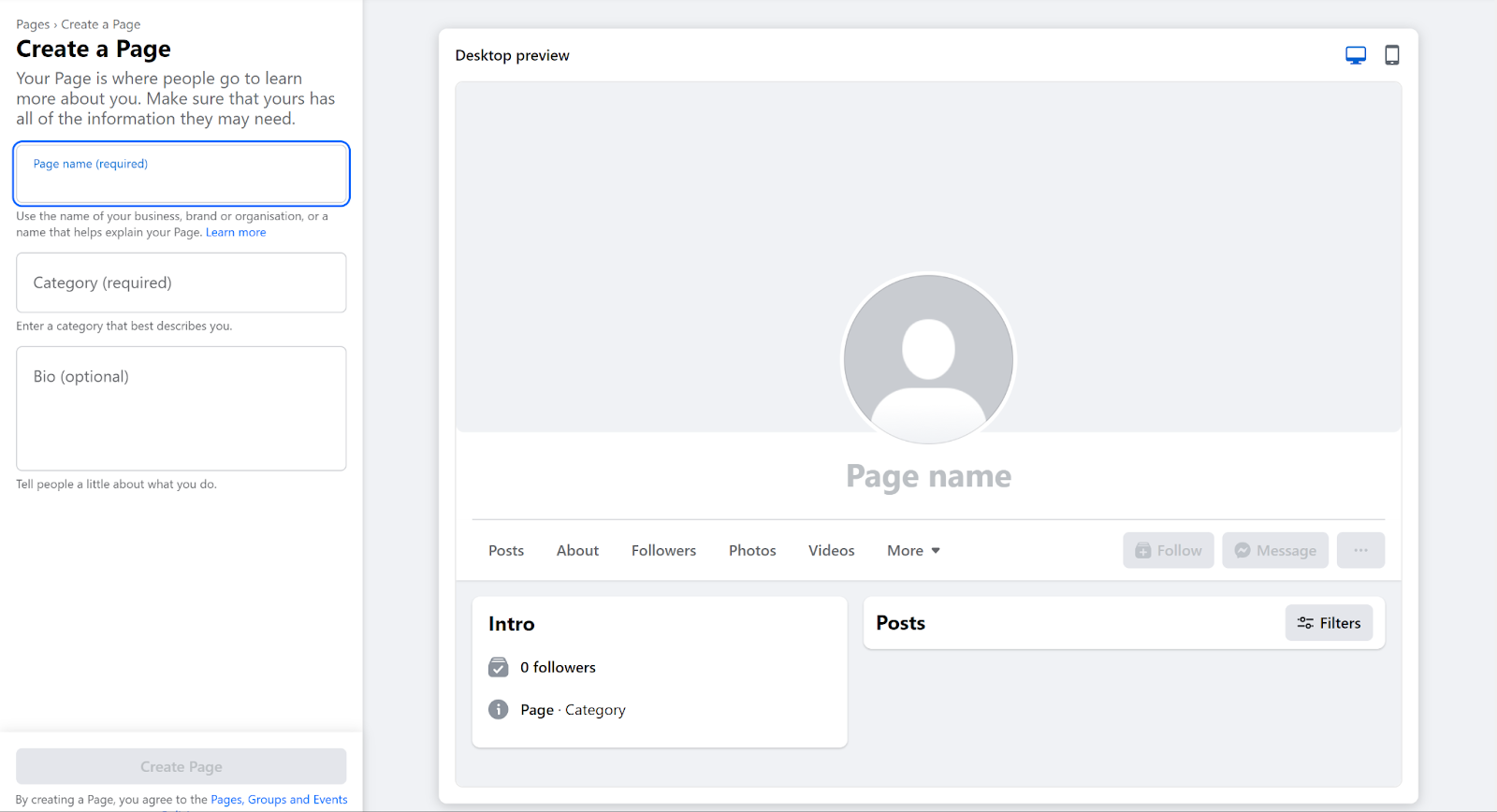
From there, you will need to:
- Choose the right category: Select a category that best describes your business or purpose.
- Pick the right name: Your page name should be your actual business name or closely related to it, making it easy for people to find and recognize you.
- Complete Your Profile: Fill in all the essential details, including contact information, website, and business hours. A complete profile lends credibility and helps users find the information they need.
An engaging About section
Your About section is a crucial space to share your brand’s story and uniqueness. To create an engaging About section, be concise yet compelling, clearly presenting who you are and what you offer.
Include relevant keywords to enhance searchability on Facebook and search engines. Regularly update this section to keep your audience informed about the latest changes or milestones.
Add impactful Profile and Cover Photos
Choose high-quality, relevant images for your profile and cover photos that align with your brand to capture attention and establish your brand’s identity.
- Profile Photo: Opt for a clear, recognizable image, typically your logo, that remains identifiable even at smaller sizes. Your profile picture will display at 176 x 176 pixels on desktop computers and 196 x 196 pixels on smartphones.
- Cover Photo: This larger image offers more creative space to convey your brand’s essence or highlight current campaigns. Ensure it’s visually appealing and resonates with your brand message. Your cover photo should be at least 400 pixels in width and 150 pixels tall.
Navigating Facebook’s algorithm
Knowing the ins and outs of Facebook’s algorithm is crucial for maximizing your page’s visibility. Facebook’s algorithm has evolved significantly over the years, aiming to create a more engaging and relevant experience for its users.
But one thing remains the same – the algorithm determines what appears in a user’s news feed based on several key factors, including:
- Post engagement: Posts that receive more likes, comments, shares, and viewing time are prioritized. The relevance of the content to the user also plays a crucial role, as the algorithm tailors the News Feed based on past interactions and the types of content the user engages with most.
- Timeliness:Recent posts are more likely to appear in news feeds than older ones, as the algorithm aims to keep content fresh and relevant.
- Content Type: The algorithm also considers the type of media in the posts. For example, videos and images might receive more visibility than plain text.
Growing followers and likes organically
If you want to build a genuinely interested audience that engages with your page and content, here’s how you can achieve this organically:
- Leverage Your Network: Harnessing the power of your immediate circle and current followers can be instrumental in growing your audience. Facebook also allows you to invite people who have engaged with your posts, widening your circle.
- Engage Actively Within the Facebook Community: Your presence on Facebook should extend beyond just posting on your page. Reply to comments and participate in discussions to make your brand more relatable and accessible.
- Integrate Facebook Across Your Digital Footprint: To amplify your Facebook presence, integrate your page link across various digital touchpoints. This includes your website and other social media profiles.
Engaging content creation
Content creation will be your bread and butter in Facebook marketing. By regularly posting compelling content, you transform your page into a vibrant community hub that attracts and retains followers.
Types of content that drive engagement
Engagement on Facebook isn’t just about numbers – it’s about creating meaningful interactions. Here are the types of content known to spark engagement:
- Educational and Informative Posts: Provide valuable insights, practical tips, and comprehensive how-to guides that cater to the specific interests or needs of your audience. These posts should deliver clear, actionable information that empowers your audience with new knowledge or skills.
- Inspirational and Uplifting Content: Share content that motivates and encourages your audience, including positive affirmations, success stories, and motivational quotes.
- User-Generated Content (UGC): Showcase content that your audience has produced, such as reviews, testimonials, or photos. UGC should be curated to highlight positive experiences and stories related to your brand or product, demonstrating real-world value and satisfaction.
- Humorous Posts (Including GIFs and Memes): Share light-hearted, amusing content that resonates with your audience. While maintaining relevance to your brand, these posts should aim to entertain and amuse, prompting shares and likes for their humor and relatability.
Best practices for posting
Crafting an effective Facebook marketing strategy requires more than just posting; it’s about understanding when and what to post to captivate your audience.
Here’s a simple plan to get your Facebook posting right:
- Get to Know Your Audience: Use tools like Facebook’s Audience Insights to figure out who your audience is and when they’re most likely to be scrolling. This helps you pick the best times to post so more people see your content.
- Use a Content Calendar: Map out what you’re going to post ahead of time with a calendar. Mix up different types of posts to keep things interesting and engaging for your followers.
- Post Regularly: Keep your Facebook page lively with a consistent stream of posts. Find a good balance—enough to keep your audience engaged but not so much that they get overwhelmed. The goal is to make your followers excited to see your posts.
Set SMART goals
SMART means Specific, Measurable, Achievable, Relevant, and Time-bound. Perfect examples of SMART goals when it comes to Facebook marketing include:
- Increase website traffic by 20% within 3 months.
- Generate 50 qualified leads per month through Facebook ads.
- Get 100 new page likes per week.
Leveraging Facebook Live for real-time engagement
Another tool in your arsenal is Facebook Live, which allows you to engage with your audience directly and in the moment.
This feature offers a remarkable opportunity to humanize your brand, giving it a face and a voice that followers can relate to and connect with on a personal level.

Here are some tips to ensure your Facebook Live is as effective as possible:
- Plan Your Content: Even though live streaming can feel spontaneous, it’s crucial to plan your content ahead of time. Whether you’re educating your audience, launching a product, or just conducting a Q&A, having a structure will keep your live session coherent and engaging.
- Promote Your Broadcast: Let your audience know when you’ll be going live. Post announcements on your Facebook page and other social media platforms, send out emails or even create an event.
- Check Your Tech: Ensure your internet connection is stable and your audio and video equipment is working well. Good lighting and clear sound can significantly improve the quality of your broadcast and, by extension, the viewer’s experience.
- Follow a Script, but Be Flexible: Having a script or an outline can help you stay on track, but it’s also important to be adaptable. The interactive nature of Facebook Live means you might get interesting questions or comments that you should address, even if they lead you slightly off your planned path.
Engage with Your Viewers
During your session, actively engage with your audience by addressing viewers by name, replying to their comments, and inviting them to ask questions or share their views.
Such interaction makes viewers feel appreciated and more inclined to remain engaged. Additionally, remind them to follow your page or share the broadcast, enhancing your visibility during and after the session.
After the event, continue the engagement by responding to comments, expressing gratitude, and promoting upcoming events. You can also repurpose your live session into shorter clips for highlights, providing digestible content that maintains audience interest.
Utilizing Facebook Stories for daily updates
Facebook Stories allows you to share brief, engaging updates with your followers, offering a glimpse into your daily life or exciting current events.
To maximize their impact, stay authentic and share genuine moments, embracing the temporary nature of stories to present less polished, more relatable content.
Engage your audience by making your stories interactive with questions, polls, or requests for opinions, inviting viewers to participate.
If you create a story you’re particularly fond of, save it to your profile so it remains accessible even after disappearing from the story feed.
Creative ideas for Polls, Contests, and Interactive Posts
Polls, contests, and interactive posts are great ways to make your Facebook page more lively and engaging. Here’s how you can use them:
- Polls: Engage your followers with quick questions to gather their preferences or opinions, showing you value their input.
- Contests: Boost engagement by hosting contests with desirable prizes. Ensure the rules are straightforward, such as sharing photos or using hashtags.
- Interactive Posts: Encourage interaction with quizzes, trivia, or fill-in-the-blanks, inviting followers to contribute their stories or knowledge. These posts make your page interactive and enjoyable.
Building a community with Facebook Groups
Imagine a place where your audience gathers not just to hear from you but to interact with each other, share ideas, and build relationships.
Facebook groups offer just that, turning your followers into a vibrant community.
The advantages of Facebook Groups for Small Businesses and Creators
Facebook groups offer distinct advantages beyond what your company’s Facebook page can provide:
- Cultivating Customer Loyalty: Facebook Groups unite your followers in a space where they can engage not just with your brand but also with each other. Exclusive content and access further enrich this experience, turning customers into enthusiastic brand advocates.
- Enhancing Visibility: Facebook’s algorithms favor group content, so your posts are more likely to be seen and interacted with than those on your page, boosting your organic reach without additional cost.
- Gaining Insights: Facebook groups act as a direct line to your audience, offering invaluable insights beyond conventional market research. Engage, ask questions, and test new ideas within a caring community.
Steps to create and grow a Facebook Group
Once you have a Facebook page, you can use it to create and administer your group.
This can streamline the management of your group and page, as well as add credibility to the group. Here’s how you can get started:
- Access Your Page: Log into Facebook, click your profile photo at the top right, select “See all profiles,” and choose your page.
- Start Your Group: From your page view, click on “Groups” in the left menu, then choose “Create New Group.”
- Customize Your Group: Fill in the essential details like your group’s name, privacy settings, and description, then click “Create” to establish your group.
- Promote Your Group: Utilize your page to feature the group, enhancing its visibility and encouraging your existing followers to join.
Remember, your page can manage up to 200 groups, but groups can’t be linked to pages with age restrictions.
Moderation tips and fostering positive community interactions
A respectful environment is key to the success of any Facebook group, especially one linked to your business. Here’s how to ensure your group remains a positive space:
- Define Your Boundaries: You can implement up to 10 clear rules through your group’s settings. These rules establish order and clarify expectations from the beginning.
- Cultivate Kindness: Urge members to be courteous and supportive. Set specific rules, like banning competitor discussions, to fit your group’s needs.
- Be Vigilant: Monitor and quickly handle any inappropriate actions or rule breaches, ensuring your group remains a respectful and positive environment.
Case Studies: Successful brand communities on Facebook
Here are some brands that have masterfully built and nurtured their communities on Facebook, leading to significant growth and engagement:
Instant Pot

Instant Pot meticulously crafted its group to be a space for culinary collaboration and support. Members from across the globe pose questions, offer guidance, and showcase their latest culinary creations using the brand’s electric cooker.
While the primary focus is on fostering a supportive community, the brand tastefully integrates occasional promotions, like enticing giveaways.
Canva
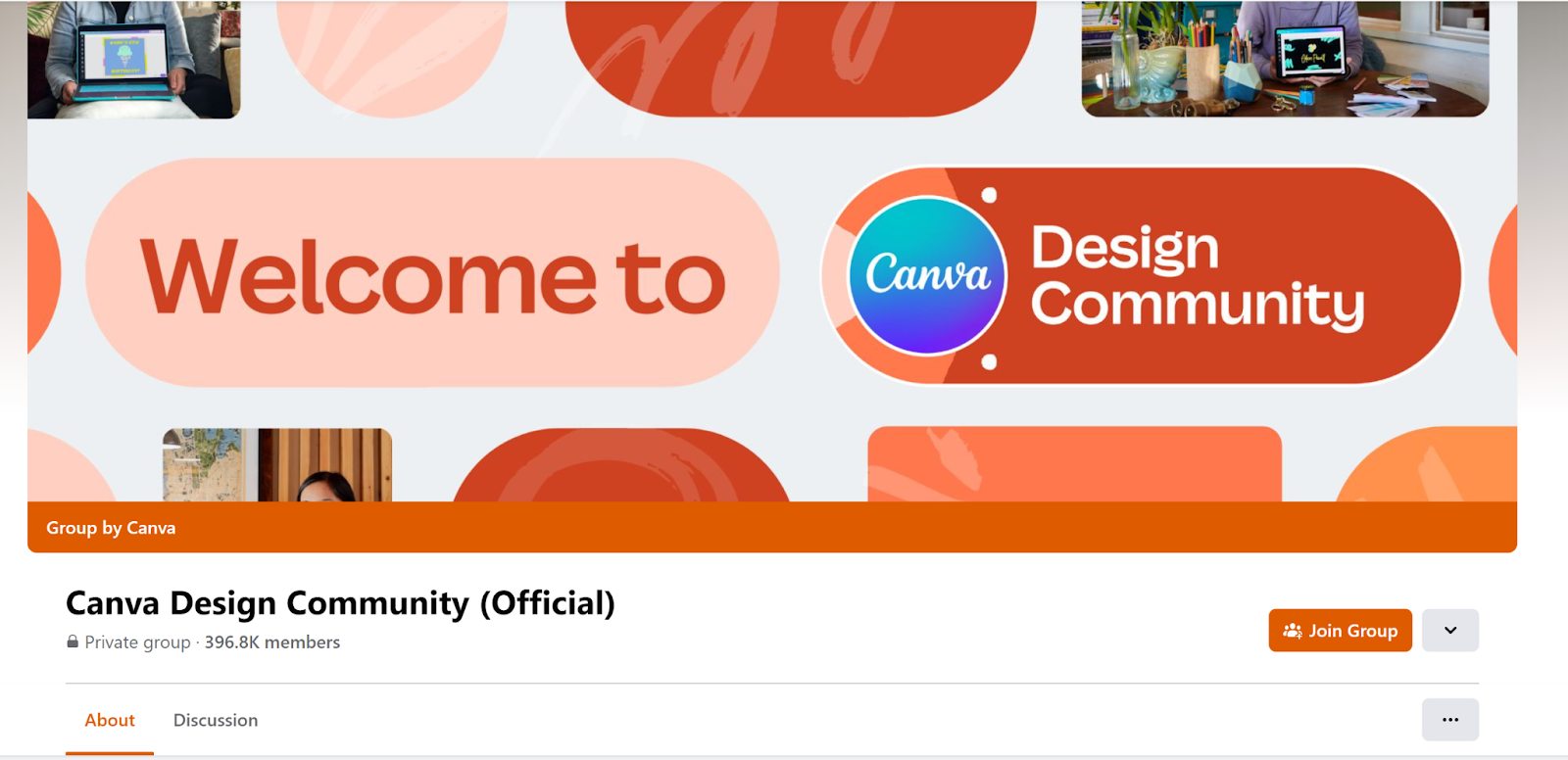
The Canva Design Circle Facebook Group is a place where users can dive deep into the world of design using Canva’s tools. It’s like a classroom where members get updates, learn about new features, and talk about everything design-related. It’s all about learning together and feeling part of a creative community.
Tasty
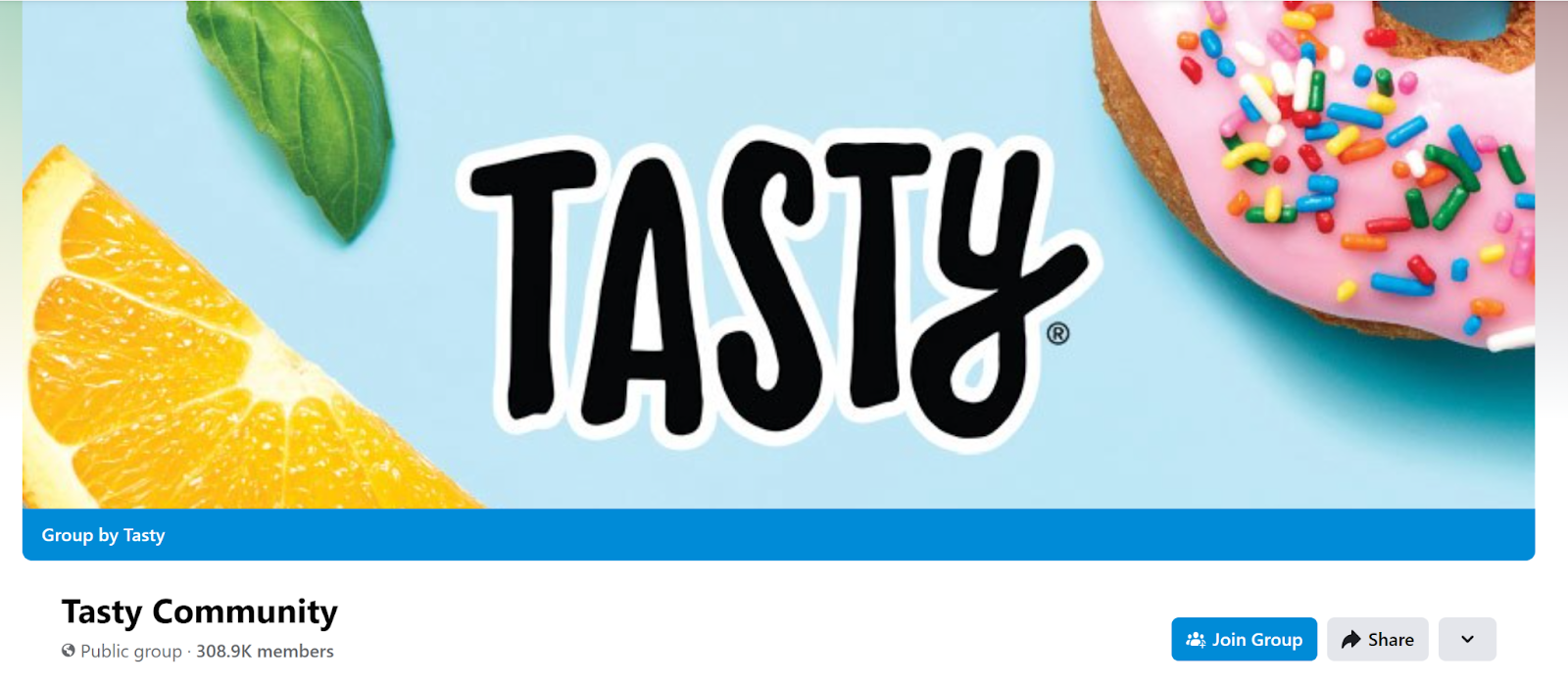
In the Tasty Facebook Group, members swap recipes, suggest ingredient substitutes, and exchange cooking advice. The group boosts interaction by inviting members to post their favorite recipes, with the enticing possibility of being highlighted on the Tasty website.
Amplifying reach with Facebook Ads
Understanding the fundamentals of Facebook advertising is crucial for crafting effective campaigns.
Facebook ads allow you to target specific demographics, interests, and behaviors. This allows your message to reach the right audience.
Different types of Facebook Ads
There are two main types of Facebook ads: Boosted posts and Ad campaigns.
Boosted Posts: Simplicity at its best
Imagine you’ve just shared an engaging post on your Facebook page, and you notice it’s getting some traction. You think, “Hey, more people should see this!”
That’s where Boosted Posts come in. By spending a little, you can amplify the reach of your post, making it visible to a broader audience beyond your usual followers.
Ad Campaigns: The strategic path
Now, if you’re aiming for a more tailored approach where you target specific user behaviors, demographics, or interests, you should consider stepping into the realm of ad campaigns.
These are sophisticated and designed for those who are ready to dive deep into marketing strategies.
Choosing the right ad format for your goals
Selecting the appropriate ad format is crucial for achieving your marketing objectives. Each ad format on Facebook serves different purposes:
- Image Ads: Simple yet powerful, these ads are your go-to for catching the eye with compelling visuals. Ideal for making a strong impression with a single, striking image.
- Video Ads: These ads draw in users with dynamic, moving content, perfect for storytelling or demonstrating how your product or service works in real life.
- Carousel Ads: With the ability to showcase multiple products or parts of a story in a single ad, carousel ads offer narrative depth and variety.
- Slideshow Ads: A blend of images and short video clips, these ads provide an engaging experience that’s lighter on data usage, making them accessible to a broader audience.
- Instant Experience Ads: These are immersive, full-screen ads that engage users once they interact with them.
- Story Ads: These full-screen ads appear between stories viewers are already watching on Facebook or Messenger, creating a seamless viewing experience. Story ads allow for a variety of creative content, including videos, images, or even carousels.
Crafting compelling ad copy and creative
Creating engaging and persuasive ad copy and creative is like telling a captivating story that grabs attention and encourages action—all within a few seconds or lines. Here are some tips to keep in mind:
- Powerful Headlines: Your headline should grab attention. Whether it’s a compelling benefit or an intriguing question, make it stand out.
- Clear and Concise: Use straightforward language. Your message should be quickly digestible, avoiding any confusion or complexity.
- Effective Call to Action: Guide your audience on what to do next. A clear, persuasive CTA increases the likelihood of engagement.
- Designing Your Creative Attractive Design: Ensure your visuals are striking and aligned with your brand. The right design amplifies your message.
- Appeal to Emotion: Ads that stir emotions tend to stick. Think about the emotional journey you want your audience to experience.
Tips for targeting and retargeting your audience
Here are some tailored tips to enhance your targeting and retargeting strategies for your advertising efforts:
- Define Your Audience: Start by creating detailed buyer personas. Understand their needs, preferences, behaviors, and demographics. The more you know about your target audience, the more effectively you can reach them.
- Utilize Audience Segmentation: Divide your audience into smaller groups for more personalized communication, improving engagement.
- Leverage Facebook’s Targeting Tools: Use Facebook’s robust targeting options to narrow down your audience. You can target based on location, demographics, interests, behaviors, and more. Experiment with different combinations to find what works best for your brand.
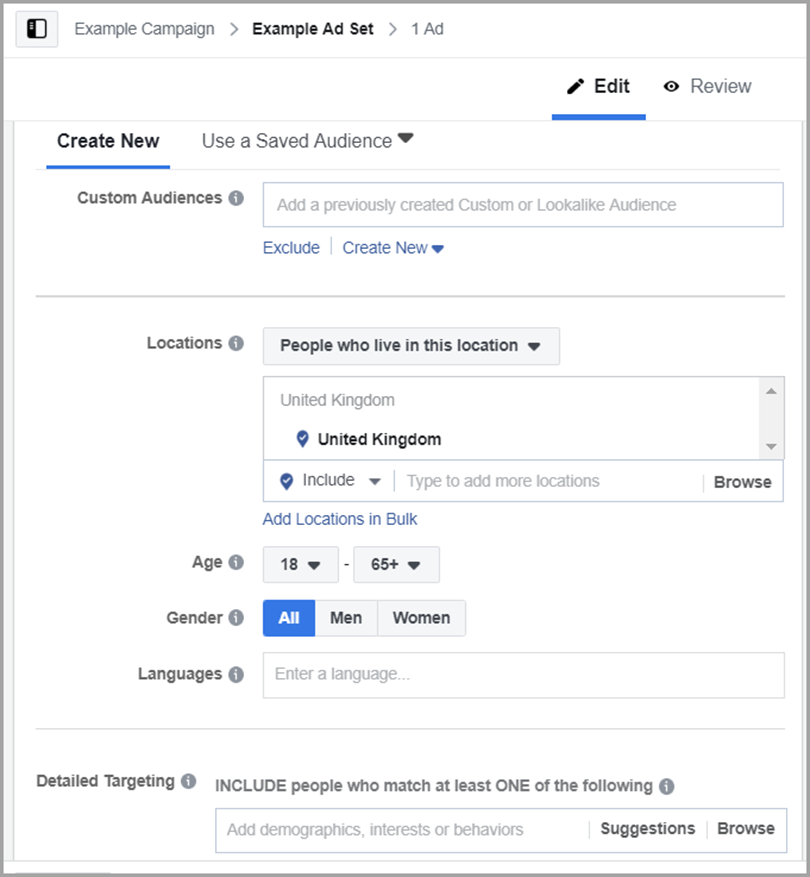
Measuring ad performance and optimizing for better results
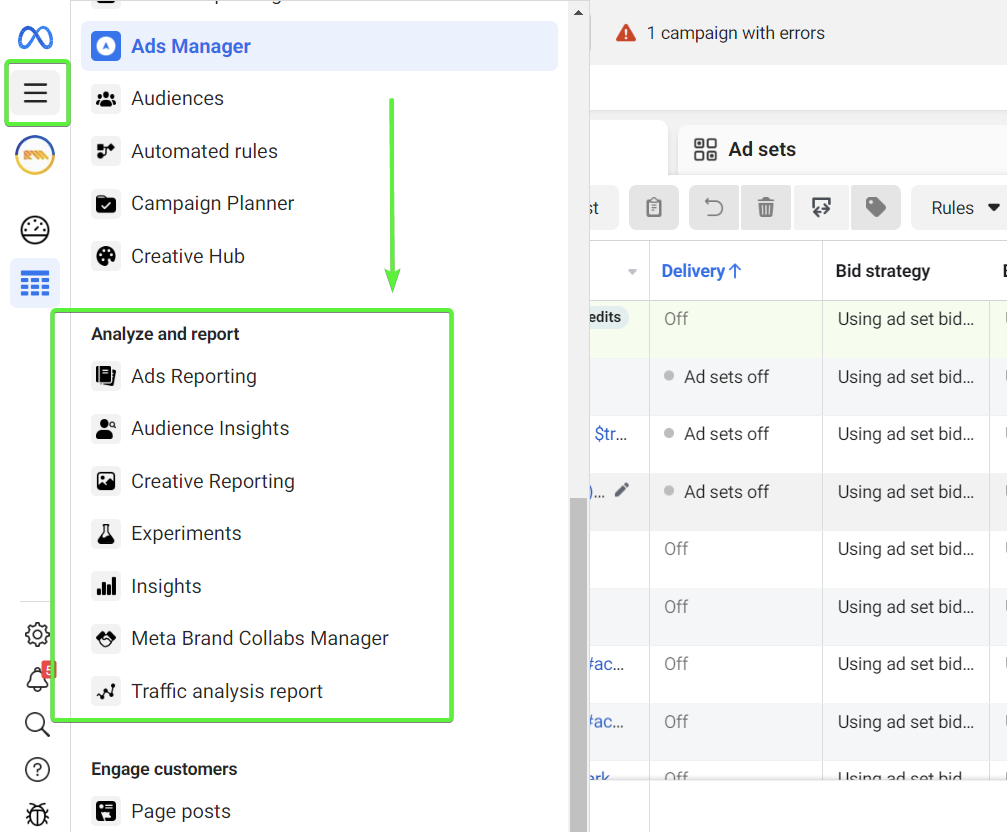
Regularly analyze your ad performance, using Facebook’s Ad Analytics to refine and optimize future campaigns for better engagement, reach, and ROI. By embracing these strategies, Facebook ads can enhance your online presence and engagement significantly, driving meaningful results.
Sales and marketing strategies
With the right approach, you can use Facebook to enhance sales and marketing results. Here’s how you can tap into Facebook’s potential to drive business growth:
Integrating Facebook Marketplace into your sales strategy
Facebook Marketplace offers a golden opportunity to put your products right in front of potential customers.
Think of it as your digital storefront. The key is to maintain updated and appealing listings, complete with compelling product descriptions and images that grab attention.
Leveraging Facebook Page features to drive sales
Two standout features of a Facebook page are the Shop section and the ability to book appointments directly through your page.
The Shop section acts as a mini-e-commerce platform within Facebook, allowing customers to explore and purchase your products without leaving the platform.
Here’s how to set up a Facebook shop:
- Meet Eligibility Requirements:
- Your Facebook page must comply with Facebook’s commerce policies.
- You need to be located in a supported market.
- Your page must have admin access.
- Head on to the Commerce Manager
- Click “Get Started.” Follow the prompts to set up your shop, including providing details about your business and linking a payment method.
- In Commerce Manager, go to the “Shop” section. Click on “Add Product.” Enter details for each product you want to add, such as name, description, price, and images.
- Set up shipping options and policies. Configure payment settings. Specify return and refund policies.
On the other hand, the appointment booking feature is perfect for service-based businesses, enabling customers to schedule sessions or consultations with ease.
Developing a Facebook marketing funnel
A marketing funnel on Facebook can guide potential customers to discover your brand and make a purchase. This usually goes into three stages:
- Begin by creating awareness through engaging content and targeted ads.
- As interest builds, nurture that connection with more detailed information and interactive posts.
- Finally, drive conversion by showcasing irresistible offers or product demos.
Remember, each stage of the funnel should be crafted with the customer’s journey in mind, providing them with value and reasons to engage further with your brand.
Enhancing customer service and sales with Facebook Messenger
Facebook Messenger can be a powerful tool to enhance customer service and, consequently, sales. Use it to respond promptly to inquiries, provide personalized recommendations, or resolve issues swiftly.
This direct line of communication encourages repeat business and positive word-of-mouth. Plus, with automated responses and chatbots, you can ensure that your customers receive instant assistance, even outside of business hours.
Expanding reach through collaborations and partnerships
Collaborating with other businesses or influencers on Facebook can widen your reach. Whether it’s co-hosting a Facebook Live event, sharing each other’s content, or creating joint offers, partnerships can introduce your brand to new audiences and add fresh value to your offerings.
The key is to choose partners whose audience aligns with your target market and whose values resonate with your brand.
The role of Facebook marketing agencies
A Facebook marketing agency is a specialized team of experts that can help your business maximize its presence on the platform.
They handle everything from content creation and advertising campaigns to community management and detailed analytics reporting.
When might you need one?
Consider a Facebook marketing agency if:
- You lack in-house expertise: Facebook marketing requires specific skills and knowledge of the ever-changing platform. An agency brings those resources to the table.
- You’re short on time: Managing a successful Facebook presence demands consistent effort. Agencies can free up your time to focus on other aspects of your business.
- You need a fresh perspective: An experienced agency can offer valuable insights and innovative strategies that you might not have considered on your own.
- You want to scale your efforts: If you’re ready to take your Facebook marketing to the next level, an agency can help you develop and execute more sophisticated campaigns.
Before partnering with a Facebook marketing agency, clearly define your goals and budget, and carefully research the agency’s track record and expertise.
The benefits of working with a Facebook marketing agency
Partnering with a Facebook marketing agency offers several clear advantages:
- Expertise and experience: Agencies are composed of professionals who live and breathe Facebook marketing. They’re constantly keeping up with the platform’s latest changes, algorithm updates, and emerging best practices. This deep knowledge translates into optimized campaigns, better ad targeting, and the ability to identify opportunities that you might otherwise miss.
- Customized strategies: A reputable agency won’t treat your business like just another client. They’ll invest time in understanding your unique offerings, target audience, and the overall goals you want to achieve through Facebook. This allows them to build a strategy that aligns directly with your needs, rather than relying on generic templates.
- Time and resource savings: Thorough Facebook marketing demands dedicated attention. It involves content creation, community management, ad monitoring, and detailed analysis. By handing these tasks to an agency, you free up precious time to focus on the core aspects of your business. Additionally, you avoid the costs and complexities associated with recruiting, training, and managing an in-house marketing team.
- Access to specialized tools: Many agencies have access to advanced marketing tools and technologies that might be expensive to acquire on your own. These tools can provide deeper insights into your audience, streamline campaign management, and deliver more robust reporting.
Choosing the right partner for Facebook Marketing
Finding the right Facebook marketing agency is critical to success. Not all agencies are created equal, so it’s important to do your due diligence before making a decision. Here are crucial factors to consider:
Experience
Do they have a proven track record with businesses in your industry or a similar niche? An agency that understands the nuances of your target market has a distinct advantage.
While newer agencies can bring fresh ideas, an established track record is valuable. It signals that they know how to navigate the ever-changing Facebook landscape. Also, look for agencies, or team members, who hold Facebook or other social media marketing certifications.
Client Testimonials & Portfolio
Ask for detailed case studies showing success with past clients. Pay attention to the specific results they achieved (increases in website traffic, leads, sales, etc.).
Read reviews and testimonials from current and past clients to gauge their level of satisfaction with the overall collaborative experience.
Other Important Factors
Make sure they offer services that match your needs. Do you primarily need content creation, advanced ad management, or a full suite of Facebook marketing solutions?
You should also consider their way of communicating. It’s important that you feel comfortable and confident doing business with the agency. Do they seem responsive, transparent, and proactive?
Most importantly, make sure they fit within your budget and that you’re clear about what is and isn’t included in their packages. You wouldn’t want any surprises burning a hole through your wallet!
Ultimately, choosing a Facebook marketing agency is about more than just expertise. It’s also about finding a partner you trust and who shares your vision.
Supercharge your brand with Facebook marketing services
If you’re looking to boost your Facebook marketing game, you have a variety of specialized services at your disposal.
Whether you partner with an agency or decide to manage some aspects yourself, here’s a breakdown of common Facebook marketing services:
- Ad Management: Perhaps the most complex aspect of Facebook marketing, ad management specialists have expert knowledge of the platform’s advertising tools. They’ll help you develop, launch, and monitor campaigns. Key services include audience targeting, budget management, creative design, A/B testing, and optimizing campaigns for specific business objectives.
- Content Creation and Curation: A strong content strategy is the backbone of a successful Facebook presence. Services in this area might involve creating original images, graphics, videos, and written posts that resonate with your target audience. Some agencies also help curate relevant third-party content to share, keeping your page engaging.
- Community Management: This service focuses on building strong relationships with your Facebook followers. This includes responding to comments and messages, moderating discussions, running contests and promotions, and addressing any customer service issues that arise on your page. A responsive and helpful community manager helps create a positive brand experience on the platform.
- Reporting and Analytics: Data is power! Specialized reporting and analytics services go beyond Facebook’s built-in insights. This helps you track key metrics, understand what’s working (and what isn’t), and make informed decisions about where to focus your efforts. Agencies may provide customized dashboards or in-depth reports highlighting progress.
Advanced techniques and tools
Mastering Facebook’s advanced techniques and tools can transform your business strategy from good to great, enabling you to make informed, data-driven decisions.
Here’s how you can leverage these resources to maximize your presence and effectiveness on the platform:
Harnessing the power of Facebook Insights
Facebook Insights can provide data about your page’s performance, offering key metrics like engagement rates and the demographics of your audience. By analyzing these insights, you can:
- Understand what resonates with your followers
- Tailor your content to their preferences
- Optimize your posting schedule for better engagement
This informed approach allows you to craft a strategy that speaks directly to your audience’s interests and behaviors.
Utilizing tools and third-party apps
Numerous tools and third-party applications are available to elevate your Facebook management and analytics. These resources can streamline your workflow, offer deeper insights, and enable you to manage multiple aspects of your Facebook presence more efficiently.
For instance, scheduling tools help you plan your content calendar effectively, while analytics apps provide a deeper dive into your performance metrics. By integrating these tools into your strategy, you can save time and focus more on crafting engaging content.
Exploring the Facebook Pixel
The Facebook (Meta) Pixel is a code you add to your website that tracks visitors’ actions after clicking your Facebook ad. It helps you understand how effectively your ads are leading to desired outcomes, such as purchases or sign-ups.
With this data, you can refine your ad campaigns, targeting users who are more likely to convert and optimize your ad spend for maximum ROI. The Pixel also enables you to create custom audiences and retarget those who have already shown interest in your products or services.
Advanced targeting techniques for Facebook Ads
To maximize the effectiveness of your Facebook ads, employing advanced targeting techniques is key. You can go beyond basic demographics to target users based on their interests, behaviors, and even their purchase history. There are two types of audiences you can target:
- Lookalike audiences: Reach new users sharing characteristics with existing customers.
- Custom audiences: Reconnect with users who have previously engaged with your brand.
Keeping up with changes and trends
Facebook is always evolving, and your brand also has to keep up if you want to maintain an impactful online presence.
Staying updated with Facebook’s algorithm changes and feature updates
Facebook frequently tweaks its algorithm and introduces new features to improve the user experience. Regularly check Facebook’s official announcements or industry news sources to stay updated.
Adapting your content strategy based on these updates can help maintain or even boost your engagement and visibility on the platform.
Adapting to trends and user behavior on Facebook
User behaviors also change. Adapting to the latest trends and user behaviors can significantly enhance your engagement rates and overall effectiveness on Facebook. Keep an eye on popular content formats, engagement trends, and what your audience is talking about.
Whether it’s riding the latest video trend or tapping into viral topics, being adaptable can set you apart.
Future Outlook: Emerging opportunities on Facebook for Businesses and Creators
Facebook continues to innovate, offering new avenues for businesses and creators to engage with their audience, enhance their brand presence, and drive growth. Augmented reality (AR) and virtual reality (VR) technologies represent groundbreaking possibilities for businesses.
- Augmented Reality: With AR, companies can enrich customer experiences by overlaying digital content onto the physical world, enabling interactive product demonstrations, virtual try-ons, or location-based promotions.
- Virtual Reality: VR, on the other hand, offers immersive storytelling avenues, allowing businesses to transport users to captivating virtual environments for branded experiences, training simulations, or immersive product showcases.
Success stories and case studies
Here are some success stories of brands and small businesses leveraging Facebook to their advantage:
- The Irish Gardener
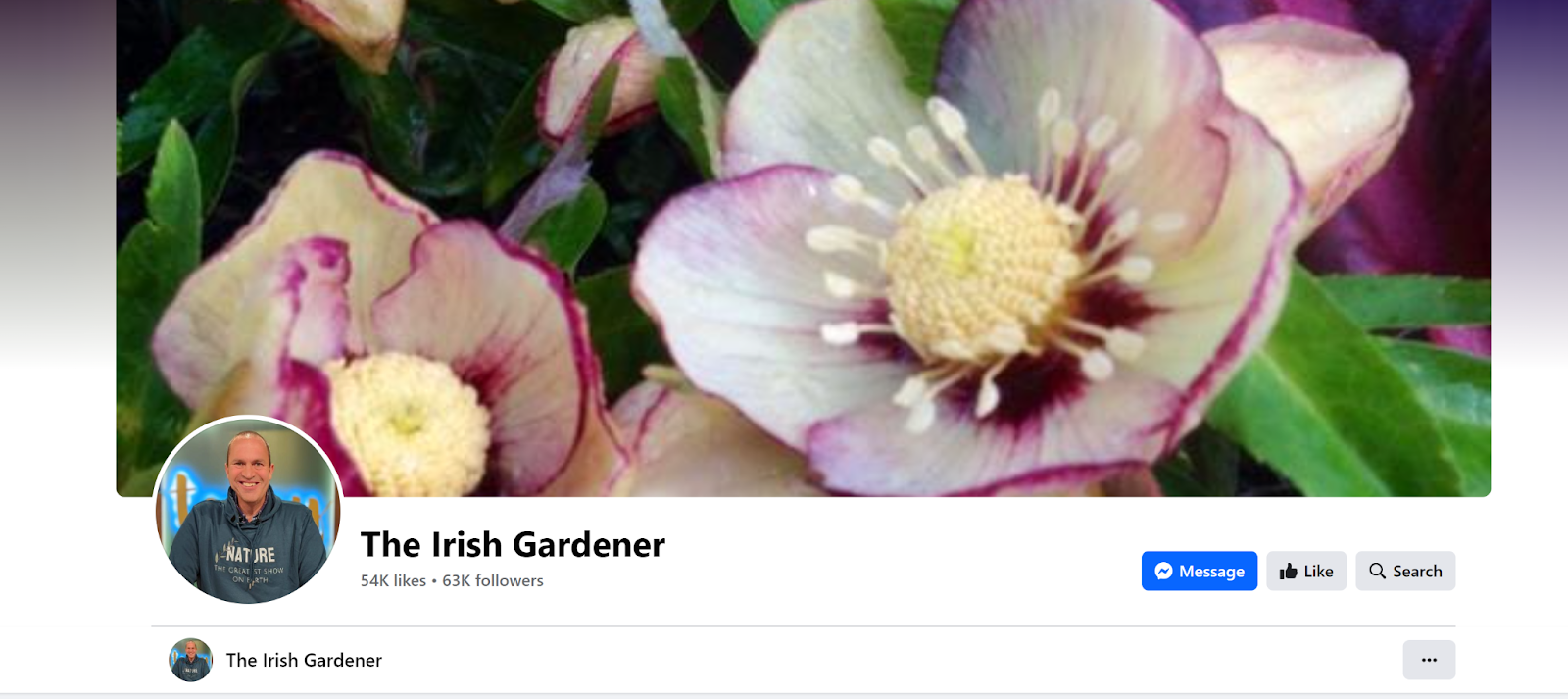
With the help of Facebook and Instagram, Peter Dowdall’s The Irish Gardener developed from a small horticultural business into a thriving online enterprise.
Originally leveraging media appearances for brand promotion, Peter’s strategic pivot to these social platforms catalyzed an impressive growth trajectory.
By integrating professional accounts, he not only increased his store’s traffic by 86% but also saw a remarkable spike in revenue—quadrupling earnings during the initial pandemic lockdown compared to the prior four months of 2019.
- MuseumsCafé & Hofladen
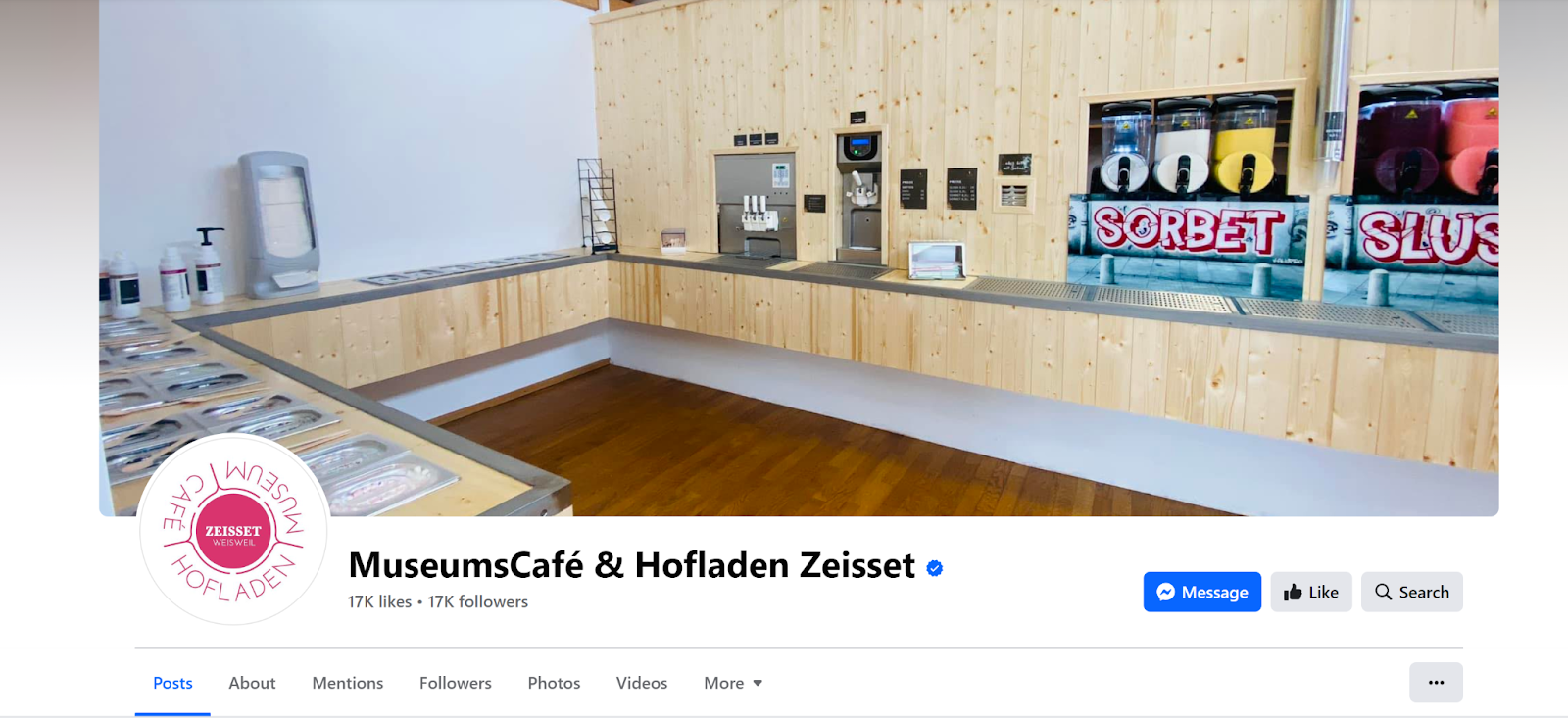
Jutta Zeisset’s MuseumsCafé & Hofladen in Germany evolved from a modest farm into a thriving local hub. During the pandemic, her business growth hinged on leveraging Facebook and Instagram, expanding her reach, and introducing a 24-hour self-service model.
This pivot maintained her enterprise and bolstered customer relations, particularly through engaging product showcases.
- DFL

Oluwunmi Funbi-Olufeko’s DFL, originating in Lagos, Nigeria, is a testament to leveraging Facebook’s digital tools to amplify a brand with deep cultural roots. Her strategic use of Facebook and Instagram not only navigated DFL through the challenges posed by the COVID-19 pandemic but also substantially grew her customer base across Nigeria, the USA, Canada, and Ghana.
Through Facebook, Oluwunmi has connected with a global audience and converted interest into tangible sales, with 80% of online customer engagement emanating from these platforms since May 2020.
- Bows Baby Boutique
Judith and Russell Henderson’s Bows Baby Boutique in Swanley, UK, showcases the profound impact of targeted Facebook advertising on a niche market business.
The Hendersons turned a personal love of Spanish baby clothing into a flourishing business, attributing 70% of their income solely to Facebook-driven initiatives. As they contemplate further expansion and dedicate more focus to the boutique, their story offers invaluable insights into the scalability and customer engagement potential achievable through the use of social media advertising.
These stories highlight key steps to winning on Facebook: genuine interaction, smart use of online tools, and building a strong community.
From small farms to global brands, these examples prove that with the right approach on Facebook, you can attract more customers and make your business bigger and better.
Facebook by the numbers: Key statistics for 2024
- Meta’s Family of Platforms: Over 3 billion monthly active users across Meta’s platforms.
- Facebook’s Mobile Dominance: Approximately 98% of daily active users access Facebook via mobile devices.
- Time Spent on Facebook: Users spend an average of 33 minutes per day on the platform.
Get the full insights!
For a deeper dive into Facebook’s statistics and trends for 2024, explore our detailed report now! Discover valuable insights that can help shape your social media strategy and enhance your marketing efforts.
Final thoughts
In this guide, we’ve shared powerful tips to help you shine on Facebook. You’ve learned how to set up a great page, create content that people love, and use Facebook ads to reach more people.
Now, it’s your turn to put these ideas into action and grow your presence on Facebook.
Remember, the key is to keep learning and adapting. Start applying what you’ve learned, stay active, and watch your Facebook community thrive. With dedication and smart strategies, you can achieve big things on Facebook.
FAQs
How do I create a Facebook event, and what are its advantages?
Creating a Facebook event allows you to organize gatherings, whether online or offline, and invite your followers. Events are powerful for promoting and managing the details of your gathering, including date, time, location, and who’s attending. They can increase visibility and engagement for your activities or functions.
What are Facebook Stories, and how do they differ from regular posts?
Facebook Stories are short, temporary posts that disappear after 24 hours. Unlike regular posts, which remain on your timeline indefinitely, Stories offer a more fleeting way to share moments with your audience. They’re ideal for sharing quick updates, behind-the-scenes glimpses, or spontaneous content.
What is Facebook Marketplace, and how can it benefit my business?
Facebook Marketplace is a digital marketplace where users can buy, sell, or trade items within their community or region. For businesses, it’s a platform to reach local buyers, list products for free, and leverage Facebook’s vast user base to increase sales and brand visibility.
How can I ensure my Facebook account is secure?
Ensuring your Facebook account’s security involves setting a strong password, enabling two-factor authentication, being cautious about suspicious links or messages, and regularly reviewing your login activity and connected apps. These steps can help protect your account from unauthorized access or phishing attempts.
Can I schedule posts on Facebook, and why is this useful?
Yes, you can schedule posts on Facebook, allowing you to plan and automate your content in advance. This is particularly useful for maintaining a consistent posting schedule, reaching your audience at optimal times, and managing your content strategy more efficiently.
How does Facebook handle user data and privacy?
Facebook has policies and tools in place to manage user data and privacy, allowing users to control their information and who sees it. However, it’s crucial to stay informed about these policies, regularly review your privacy settings, and be mindful of the information you share on the platform.
