
Key Takeaways
Strengths
- Generates stunningly realistic short video clips with synchronized audio from text prompts.
- Integrates video, voice, and sound design into a single workflow.
- Offers a storyboard editor (Flow) for clip arrangement and limited scene extension.
- Ideal for professionals seeking rapid prototyping or AI-assisted pre-visualization.
Limitations
- High cost ($249.99/month) and U.S.-only access at launch.
- Technical bugs, especially silent video outputs and UI confusion around model versions.
- Credit-based usage creates anxiety due to failed outputs consuming resources.
- Current generation is best for short scenes; longer narratives and consistency across clips are problematic.
- Flow’s clip extension only supports VEO 2 for now, not VEO 3.
Introduction: What is Google Flow VEO 3?
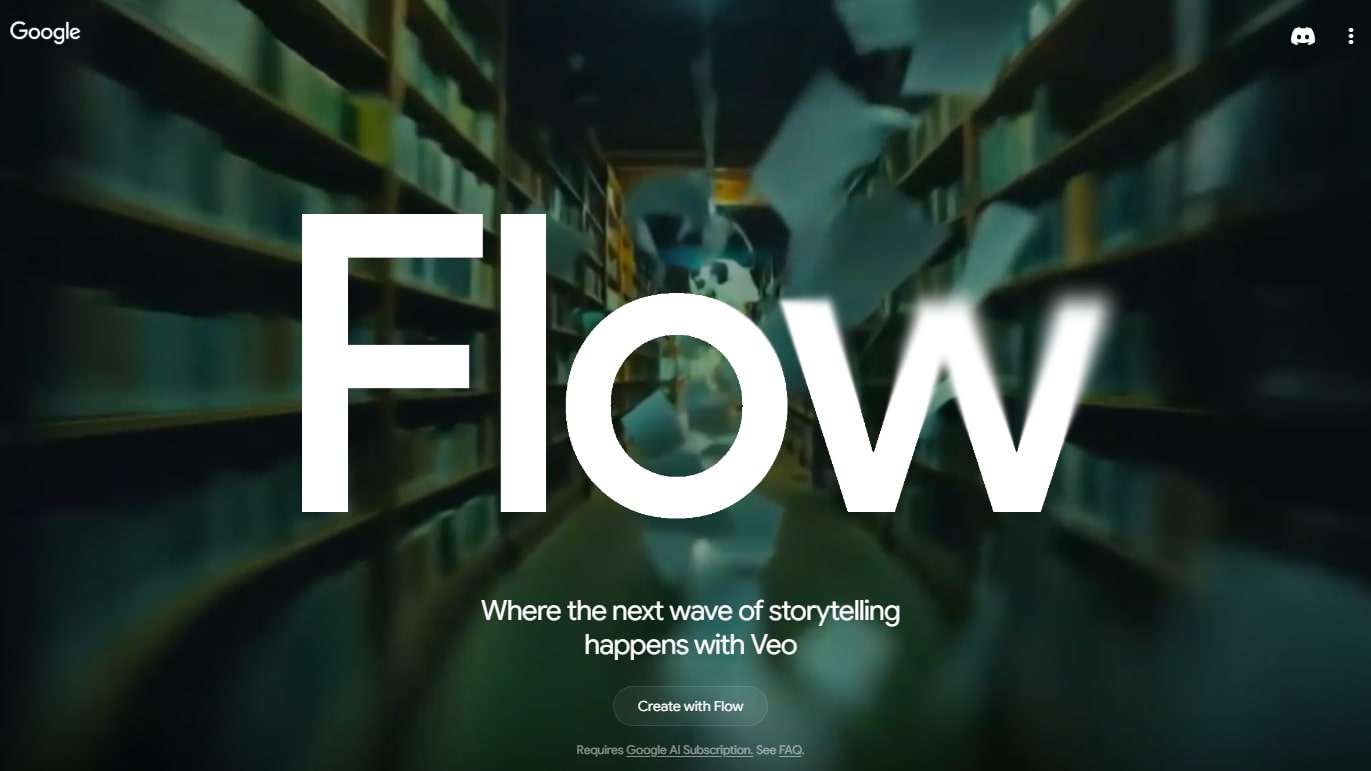
Google’s new Flow platform integrates the VEO 3 model, enabling text-to-video generation with AI. Flow provides a visual interface (“storyboard”) for arranging AI-generated clips.
Google Flow VEO 3 is the latest AI-powered video creation tool from Google, unveiled at I/O 2025 and released to the public in May 2025. It allows users to generate short video clips from text prompts, complete with audio, voice acting, and synchronized speech. In essence, you type a description of a scene, and VEO 3 attempts to produce a fully realized video of that scene – including visuals, background sounds, and even characters speaking lines.
This technology builds on earlier Google AI models (Veo 1 and Veo 2), but VEO 3 represents a significant leap. Unlike previous versions (which could generate video but often without audio or with mute characters), VEO 3 is multimodal, capable of generating video and audio together in one step. For example, a user can prompt: “Two podcasters discuss the launch of a new AI tool, laughing about the price,” and VEO 3 will produce a clip of two realistic people having that conversation, with matching lip movements, voices, and even a laugh at the appropriate moment.
Google has packaged VEO 3 within a new tool called Flow, which acts as a creative studio for AI videos. Flow lets users chain multiple generated clips, specify camera angles, upload reference images, and otherwise treat AI video generation more like a video-editing workflow. The goal is to empower filmmakers and creators to storyboard ideas and then fill them in with AI-generated content.
In the weeks since release, many content creators and AI enthusiasts have been test-driving VEO 3. Their feedback provides a real-world look at what this tool can (and cannot) do. Below, we synthesize the authentic user experiences – the wow moments, the frustrations, and practical insights from those who have hands-on experience with Google Flow VEO 3.
Access and Pricing: Who Can Use VEO 3?
One theme echoed by virtually all early users is that VEO 3 isn’t easily accessible to everyone. Google has made it available only via its top-tier “AI Ultra” subscription, which costs $249.99 per month (with a promotional $125 rate for the first three months). At launch, access is also geographically limited – initially U.S. only, according to user reports. In practice, this means only paying customers in certain regions can directly use VEO 3 through the Flow app or Google’s AI Studio.
“$250 is a lot for just AI enthusiasts.”
Reddit
Many individual creators balk at this steep paywall. On Reddit and forums, users describe the price as “overpriced” or “not $250 a month good” for what you get. As one commenter put it, “$250 is a lot for just AI enthusiasts, but for filmmakers it’s already useful… I’ve seen some fake ads made with VEO 3, and they looked great.”This highlights a divide: professional studios or teams might justify the cost as a business expense, whereas hobbyists and casual creators find it too expensive to justify, especially given current limitations.
“It’s good. But it’s not $250 a month good. Half of the generations are bad quality or inaccurate… Way overpriced.”
Some users who were curious enough did pay for at least a month of Ultra to try VEO 3. These early adopters often share their impressions to help others decide if it’s worth it. A YouTuber who “paid for VEO-3” to test its worth noted that it feels like “stepping into the 3.0 era for this tech” but also cautioned viewers about whether the cost is justified (paraphrasing from video description). The consensus so far: VEO 3 is a cutting-edge tool aimed at serious creators with budget, and many are eagerly hoping Google will eventually roll it out more broadly or at lower price points. As one AI blogger summarized, “If you’re a filmmaker or content creator with the budget and access, VEO 3 is definitely worth exploring. But for casual users, it might be better to wait until it’s more affordable.”
Another aspect of access is credit limits. The Ultra plan provides a certain number of generation credits (users cite 12,500 credits per month), and each video costs a hefty chunk of credits (commonly 100–150 credits per clip using VEO 3). One user calculated that in ideal conditions those credits equal roughly 11 minutes of video output per month if every generation is perfect. In practice, with multiple retries needed, users find they can produce far less final footage. For instance, producing a one-minute video might consume a couple of hours of iterative prompting and several hundred credits. Creators thus have to budget their AI generations wisely, given that each attempt has a real cost in credits (and therefore money).
On the flip side, a few professionals have noted that even $250/month could be considered cheap relative to traditional video production costs. One commenter pointed out that generating ~194 hours of footage via API for $250 is an astronomically good deal compared to hiring a film crew for even a day. This perspective suggests that for certain use cases (pre-visualization, test footage, background video generation, etc.), VEO 3 might already offer huge cost and time savings. But this only holds if the output quality is usable – which leads to the mixed bag of experiences detailed next.
Positive User Experiences
Despite the barriers to entry, those who have used Google’s VEO 3 have shared remarkable success stories and praise. Early users range from AI enthusiasts generating funny clips, to filmmakers testing its limits in storytelling. Here we compile what people loved about VEO 3 when it worked well.
Lifelike Video and Audio Quality
The single most celebrated aspect of VEO 3 is the quality of its outputs – particularly how realistic and coherent some AI-generated videos are. Users have described the results as “insanely good” and even unsettlingly lifelike:
“It’s unsettlingly lifelike.”
PetaPixel
- Realistic visuals: VEO 3 can produce scenes that (at least in short snippets) look surprisingly real. Lighting, camera angles, and even physics like hair or cloth movement are handled convincingly. In one popular Reddit post, viewers were amazed that an AI-generated video’s “pacing was excellent” and that “some [shots] even looked like real people”. These videos often far exceeded Google’s own demo reels in impressiveness, according to user reactions, suggesting the model’s true capability shines in the hands of creative users.
- Convincing audio and voices: VEO 3’s integration of audio generation is a game-changer. Users report that the model can generate human-like voices and sync them to the on-screen characters’ lip movements with a high degree of accuracy. One reviewer noted “realistic lip-syncing and sound effects” as a key pro. For example, in an AI-generated podcast video, two characters not only appeared on screen but spoke in natural conversational tones, complete with one character laughing on cue – a touch that “enhances the sense of realism”. Another user had VEO 3 generate scenes of live concerts and was struck by how well the music and crowd sounds matched each music genre shown. This level of automatic audio-visual coherence is virtually unheard of in earlier AI video tools available to consumers.
- Example – Stand-up comedy clip: One X/Twitter user shared an 8-second comedy club scene generated by VEO 3. The clip depicted a stand-up comedian telling a joke on stage, with the audience audibly reacting. The poster remarked: “Less than 24 hours ago, Google dropped VEO 3, blurring the line between reality and AI. Its video and audio quality is so lifelike, it’s unsettling.”. This encapsulates how many users feel – astonished by the realism, to the point that it’s a bit eerie.
- Example – “Street interview” video: Another viral example was a fake street interview (generated entirely by AI) that looked like candid news footage. An AI influencer compiled “10 wild examples” of VEO 3’s realism, starting with “a street interview that never happened” which fooled many into thinking it was real at first glance. The fine details – from the movement of the interviewer’s microphone to the ambient city noise – made these clips hard to distinguish from real videos.
Such examples have led creators to describe VEO 3 as “mind-blowing”. Even skeptics who expected cartoonish or glitchy outputs are often pleasantly surprised. One Reddit user admitted some outputs were “frankly good – some even looked like real people to me”. There’s a sense that AI video generation has crossed a quality threshold with VEO 3, unlocking use cases that simply weren’t possible with older models (which often produced only silent, low-res, or very short clips).
All-in-One Generation Convenience
Another positive theme is the streamlined workflow VEO 3 enables. Early users with experience in AI content note that previously one had to use separate tools for video, voice, sound, and then manually composite them. VEO 3 collapses this into a single step: “Just input a text prompt, and all is taken care of.” This convenience cannot be overstated for content creators who are not technical audio engineers or who simply want quick results.
“Just input a text prompt, and all is taken care of.”
Pollo.ai
- No more manual lip-sync or editing: Users love that VEO 3 handles formerly tedious tasks like syncing dialogue to a character’s mouth movements. In the past, a creator might generate a silent video with one AI, then separately generate a voiceover with another AI, and try to stitch them together – often with jarring results. With VEO 3, when it works properly, the output is a cohesive clip where “what [the characters] are saying is well-generated and properly synced with their movements”. One reviewer testing it on a faux podcast episode commented on how the expressions and gestures matched the conversation, calling the multi-modal generation “one of the major highlights of this model.”
- Automatic sound design: Beyond voices, users have noticed VEO 3 will inject context-appropriate sound effects and background audio. For example, if the prompt is in a forest, you might hear birds chirping; a city scene might come with traffic noise. If your prompt involves a music concert, you’ll get music and crowd cheering generated to fit. This built-in sound design greatly boosts the immersiveness of the videos. A user noted that these background sounds “add a lot of realism” and that even subtle audio nuances were captured for different scenarios.
- Speed and iteration: Some users are impressed by how quickly they can go from idea to actual footage. One person managed to create a one-minute short film using VEO 3 in about 2 hours of tinkering. While 2 hours might sound like a lot for one minute of video, they pointed out that compared to traditional animation or filming, that’s incredibly fast. Setting up a live-action shoot or doing 3D animation for a one-minute clip could easily take days or weeks. So for rapid prototyping of video ideas or pre-visualization, VEO 3 is a huge time saver. As another user remarked, “Good luck doing [a scene with actors, audio, editing] in less than 2 hours and $125!” – implying VEO 3 is already faster and cheaper for making certain types of content.
- High-quality visuals “out of the box”: Early adopters have also mentioned that VEO 3 outputs are high-resolution (720p by default, with an option for 1080p) and come with coherent lighting and camera movements, without the user needing to specify every detail. For a content creator who isn’t well-versed in cinematography, the AI handles those aspects. One AI blogger highlighted “high-quality visuals with good physics” as a pro, meaning things like gravity, object interactions, etc., appear natural in VEO 3’s videos.
In summary, VEO 3’s strength lies in dramatically simplifying the creation process for video content. It attempts to be a one-stop shop: you give it an idea, and it gives you back a mini-movie. When it succeeds, users feel like they’re living in the future of content creation. A comment on Hacker News mused that one person can now produce long-form documentaries from their basement using VEO 3 – no camera shoots needed. That excitement is palpable in user communities, albeit tempered by the reality that not every attempt works (as we’ll cover in negatives).
Creative Possibilities and Early Examples
Beyond quality and convenience, users are simply excited by the creative potential unlocked by VEO 3. Since its release, social media has been flooded with imaginative clips made with the tool – often accompanied by giddy commentary from their creators.
A few standout examples created by actual users:
- “AI Killed the Video Star” and other Meta humor: Some creators are using VEO 3 to comment on AI itself. A Reddit user jested that someone will inevitably make an “AI killed the video star” music video (riffing on the famous song about MTV). This indicates how quickly creators see VEO 3 as fodder for cultural commentary and parody. In fact, one popular VEO 3 video that circulated online was a sitcom scene generated by AI, complete with canned laughter, that had viewers alternating between awe and laughter at how absurd yet plausible it was. The Distracted Boyfriend meme reimagined as a videois another example mentioned in media, demonstrating VEO 3’s meme potential.
- Mock trailers and ads: Users with filmmaking backgrounds have tried making short movie trailers or advertisements using VEO 3. One user (Dave Clark) made a fake action movie trailer entirely with VEO 3 via Flow, then posted it saying “Welcome to a new era of filmmaking”. The clip reportedly looked on par with a real trailer in pacing and style – albeit at short length. This experiment underscored the threat (or promise) of AI video tech to Hollywood, as noted in the tweet. Others have produced faux ads (for fictional products) that were convincing enough that “they could’ve carried a Google keynote”, as one Redditor joked.
- Gaming and eclectic prompts: VEO 3 has even been (mis)used to generate things like fake video game footage. One user prompted a scenario of a streamer playing Fortnite, and VEO 3 generated a clip that looked like Fortnite gameplay with a facecam – causing the user to exclaim “I don’t think VEO 3 is supposed to be generating Fortnite, but…”. This shows how users are pushing the AI in unintended directions just to see what it can do. From classrooms of Baby Boomers learning Gen-Z slang to historical documentaries, people are testing a wide range of scenarios. Each successful clip expands creators’ imagination for what content they might generate next.
- Professional exploration: Some video professionals are taking a serious look at VEO 3 for their workflows. For example, in the film pre-production phase (storyboarding or pre-visualization), VEO 3 could quickly mock up scenes. There’s chatter about documentary makers using AI to animate reenactments or historical scenes cheaply. While these are early days, the discussions indicate that teams are evaluating VEO 3’s potential in production pipelines, not just as a novelty.
To sum up the positive experiences: VEO 3 has given users a taste of “the next wave of storytelling.” It can turn wild ideas into watchable videos within minutes or hours, something that felt like science fiction until very recently. The outputs, when good, are not just technically impressive but genuinely entertaining or useful. Many users have expressed a mix of excitement and concern at how fast this technology arrived. One forum poster wrote, “It won’t be long before AI video is indistinguishable from real video… it just seems like a huge net negative for humanity,”reflecting a sense of awe and fear. But regardless of anxieties, the creative doors have been swung open, and users are eagerly stepping through – often straight to social media to show off what they’ve made.
Negative User Experiences
Balanced against the hype are the hard lessons and headaches many users have encountered with Flow VEO 3. As an experimental bleeding-edge tool, it’s not surprising that VEO 3 can be fickle. But given the high cost, users have been vocally disappointed when the system doesn’t live up to expectations. Below we delve into common complaints: from the steep price and access woes to specific technical bugs and limitations noted by early adopters.
Cost Barrier and Availability Issues
As discussed earlier, the price of admission is itself a major negative for many. User feedback frequently starts with gripes about cost: “$249 a month and I can’t even get a working video – what a scam,” wrote one frustrated user bluntly. Some who took the plunge now regret it: “Starting to regret my Ultra upgrade… maybe [the next model] will convince me to keep it,” one user mused after experiencing issues.
Key points raised by users regarding cost/availability:
- Too expensive for casual use: Non-professional users largely agree that VEO 3’s pricing makes it “not for you”unless you have a strong use case or deep pockets. For making “funny 7 second videos” or dabbling, $250/month is overkill. Many are hoping Google will introduce a cheaper tier or free trial. Without that, a lot of interested creators simply can’t justify paying and are sitting on the sidelines, consuming others’ shared videos instead of making their own.
- Regional lockout: The fact that VEO 3 access is initially U.S.-only (as reported) adds to frustration. On international forums, users complained about being keen to try it but finding that even if they wanted to pay, they couldn’t. “I’m in the UK and it says not available here,” lamented one forum poster (paraphrased). This limitation makes the pool of firsthand user feedback smaller and concentrates it among U.S. users or those using VPNs. It also rubs some the wrong way that a marquee AI product isn’t globally accessible, reinforcing the notion that it’s an exclusive trial product right now.
- Credit anxiety: Even for those with Ultra accounts, the credit system creates stress. Every generation attempt chips away at your monthly allotment, so failed outputs cost real value. Users find themselves second-guessing whether to retry a prompt or tweak it, because wasted credits mean less time to play with the tool. “Keep your finger ready to re-render,” one reviewer advised, noting the need to iterate but implying the cost that comes with that. Users have expressed that for $250, they expected a more generous or unlimited usage, not to be constrained by credit counts and daily limits.
- Refund issues: Perhaps the most sour experience shared was from a user who felt so let down by VEO 3’s performance that they requested a refund – only to be denied by Google. In a Reddit post titled “VEO 3 Does Not Work, No Refund, Total Scam,” this user detailed paying $125 for the first month and encountering bug after bug (which we detail below). Google Support ultimately refused a refund, stating it “did not qualify,” which left the user feeling cheated. This anecdote resonated with others who upvoted the post and commented that at such a premium price, the product should not have so many major issues. The lack of a trial and a strict refund policy make trying VEO 3 a risky proposition – a point not lost on the community.
“VEO 3 Does Not Work, No Refund, Total Scam.”
Reddit
In summary, the high cost and limited rollout of VEO 3 are significant pain points. They limit the pool of users to mostly professionals or well-funded enthusiasts, many of whom expected a polished experience for the price. When those expectations weren’t met (due to bugs), it amplified the negativity. “This is a premiere/enterprise subscription fee,” the refund-seeking user wrote. “It should NOT have this many major bugs.” That sentiment captures how several users feel about paying to beta-test Google’s fancy new toy.
Technical Glitches: Silent Videos and Bugs
The most discussed negatives about VEO 3 revolve around technical failures – particularly with the much-touted audio generation. The pattern from user reports is clear: videos often render without the audio they’re supposed to have, and other bugs can outright prevent video generation. These issues have not only frustrated users but also cost them credits and time. Let’s break down the key problems:
- Silent video bug: By far the loudest complaint (pun intended) is that VEO 3 frequently produces videos with no sound, even when the prompt explicitly asks for a speaking person or any audio element. Users across Reddit and Google’s support forum have reported this. For example, one user generated ~30 videos in Flow with VEO 3 that should have had sound: “13 have failed altogether and 17 have had no sound at all.” In other words, virtually none worked right. Another user confirmed “sometimes using VEO 3 (highest quality) on Flow produces video with no sound. I have wasted at least 4-5 videos where no sound is produced.”
Even when the video shows a person talking, about 70% of the time there’s no voice heard, according to one account: “It generates a person speaking with no sound… completely unreliable in that sense.” This inconsistency is maddening for users because you never know if your next attempt will come out mute or with audio.
Initially, some thought this might be user error – e.g., not having the right settings. But community discussion uncovered that it’s largely a backend bug:- You must use “Text-to-Video” mode and Highest Quality to invoke VEO 3’s audio features. If you use other generation modes (like “first frame to video” or lower quality), the system might fallback to VEO 2 (which has no audio) without clear indication. Google’s help volunteers even suggested “make sure you’re using Text-to-Video mode” as a troubleshooting step.
- However, many users insisted they were using the correct mode and still got silence. In those cases, it appears to be a genuine VEO 3 failure. One frustrated poster wrote: “I generated a couple videos with sound 2 days ago, but the last 2 days all my videos have been silent. When I ask for audio, it just makes another video as silent as the previous one.”. This suggests a service outage or bug that suddenly began happening.
- Google’s community forum has multiple threads on this. It’s acknowledged as a known issue but not fully resolved as of late May 2025. Some observations from users:
- Using the Gemini app’s chat interface to generate video (instead of Flow) sometimes gives a different outcome – e.g. one user said in Gemini, 1 out of 3 attempts had sound (though the content of speech was wrong).
- Upscaling video from 720p to 1080p (a feature in Flow) will strip audio from the clip entirely upon download. This is confirmed as a bug; the workaround is to avoid the built-in upscaler and use an external tool if needed.
- The “first-frame image” generation option does not support VEO 3 audio currently, which caught many off guard. If you try to generate video by giving an initial reference frame, the system silently uses VEO 2 (no audio) as of now. One user insisted they somehow got first-frame to work with audio, but the official word (and most experiences) suggest it’s not implemented, hence no sound in those cases.
- Overall, the silent video bug has severely dampened some users’ enthusiasm. It effectively means a core feature (sound) works sporadically. People paying a premium feel this is unacceptable: “They really need to fix this… I’ve wasted lots of videos with no sound,” one user pleaded. The community has rallied to share tips (like double-checking you were charged the correct credits to ensure VEO 3 was used, etc.) but ultimately it’s on Google to iron out these glitches.
- Generation failures and limits: Another bug mentioned is that some generations fail outright – e.g., the process errors out and returns nothing (but sometimes still consuming credits). At least the Flow app does refund credits for failed generations in many cases, users noted. However, there’s also a bug with the daily generation limit. Users reported getting an error saying “You’ve reached your video generation limit, try again after 24 hours,” even when they hadn’t hit any reasonable limit. Worse, the timestamp in the error would keep rolling forward (always 24 hours from now), effectively locking them out indefinitely. One user shared: “I went to create a new video, it gives the message I reached my limit until May 20, 16:24 AM. I refresh a minute later, it says May 21, 16:25 AM… at this rate I will NEVER be able to create another video.” This issue hit even Ultra subscribers (who should have high limits). Google acknowledged this as a known bug being investigated. For a user paying for the service, being completely unable to generate videos due to a glitch is immensely frustrating.
- UI and feedback issues: Part of the problem with the above bugs is that the interface doesn’t clearly tell you what’s happening. Users were confused if silent videos were due to them accidentally using VEO 2, or if VEO 3 simply didn’t produce audio. The Flow UI would label outputs as “Highest Quality” which implies VEO 3, but then they’d have no sound. As one user said, either the UI is wrong or the model is bugged – “either way, not working as intended.” Another tip shared is that by clicking “Reuse Prompt” on a result, the app will show which model was actually used. These sorts of hidden indicators are not obvious, causing many to be “caught out” by features that aren’t working. Users have called on Google to be much more upfront in the interface about what VEO 3 can and cannot do currently.
- Other quirks: Some smaller complaints include:
- Occasional visual glitches in videos (warped hands, flickering objects). These are common in AI generation and VEO 3 hasn’t eliminated them. Reviewers note they are “minor but noticeable” if you look closely.
- Some sound effects can be odd or low-quality (e.g. weird background noises). The audio fidelity isn’t perfect yet, though the concept works.
- Inability to do certain things with VEO 3 that people expected – e.g. you cannot force a specific actor’s face or a very specific image (Google likely restricts generating real people). One Hacker News user mentioned VEO doesn’t allow any people in an input image, even cartoons, which “kneecaps a lot of potential usage” in their opinion (Google likely did this for ethical guardrail reasons).
- The Flow mobile app confusion: Some users thought they could use Flow/VEO on mobile via the Gemini app. At least one support thread was simply a user not understanding how to access it, illustrating that onboarding could be clearer.
Collectively, these technical issues give the sense that VEO 3 is very much a work-in-progress. Users oscillate between awe at what it can do, and exasperation at what it fails to do. “It’s a slot machine” one commenter shrugged about the AI’s unpredictability. Another early tester advised keeping expectations in check and being ready to iterate or troubleshoot.
Some users have even started sharing workarounds: For instance, if your 1080p upscale has no sound, download the 720p version (which has sound) and combine the audio with the 1080p video manually. Or use third-party upscalers as suggested. These stopgap solutions show how badly some creators want to make use of VEO 3 despite its flaws.
Perhaps the silver lining is that these pain points are being actively discussed in forums, and Google appears aware of them. Community managers have labeled issues as known and “escalated to the development team”. Given that VEO 3 was just launched, users seem to understand some bugs are expected – they just wish Google had communicated the limitations better and not charged a premium for a beta-level product. In any case, anyone diving into VEO 3 now should be prepared for some troubleshooting and disappointments alongside the impressive results.
Consistency and Limitations in Output
Even when VEO 3 is functioning as intended (no outright bugs), users have noted limitations in what it can reliably generate. This is more about the inherent capabilities of the model in 2025, as observed through usage. Key points include:
- Short clips vs. long narratives: VEO 3, like many generative video models, is currently optimized for short clips (around 5–10 seconds). Users trying to get longer continuous scenes find it challenging. “They are getting good but still limited to short scenes with one focus object,” one forum user explained. “Longer scenes with a few different things happening as desired is still very hit or miss on AI video models.” This matches experiences: it’s easier to generate a clear 8-second scene about one thing than to have the AI execute a complex multi-step story in one go. Flow partly addresses this by stringing clips (more on that later), but the model itself doesn’t just generate a 2-minute coherent film with multiple plot points yet.
- Maintaining context and characters: If you want the same character to appear in multiple shots or a storyline to continue, VEO 3 doesn’t have a built-in memory of previous outputs. Each prompt is its own generation. Users noted that consistency of a character’s appearance or the exact scene details can drift if you try to break a story into multiple prompts. Google did demo a “consistent character” feature for future updates, but in current usage, it’s not fully there. One user from Pollo AI’s review pointed out they wished for things like seeding the model with an image of a character, or custom aspect ratios, which VEO 2/3 don’t support yet. This means if you need the same actor or a precise design across shots, you might be out of luck or have to manually intervene.
- Prompt adherence variability: Users often describe using VEO 3 as an iterative game of tweaking the text prompt to get the desired outcome. The model might ignore or misinterpret parts of a prompt. For example, a user trying to have a character say a specific line found that even when audio worked, sometimes “it didn’t say the thing I wanted them to.” This suggests the AI decides on dialogue somewhat unpredictably. Another user mentioned that if you ask for very complex or multiple actions in one prompt, the result can be “mushy” or incoherent. A Hacker News commenter observed that while individual shots look good, “the story told by those shots will still be mushy AI slop for a while” because the model lacks a true understanding of narrative coherence across time.
- Quality quirks and uncanny valley: Even at its best, VEO 3 outputs can have that slight “AI” feel if you look closely. Some users noted oddities such as a character’s gaze being a bit off, or movements being just a touch unnatural (especially around the edges, like hands). The term “uncanny valley” came up – that zone where it’s almost real but something is off, which can be disconcerting. For instance, the comedian clip impressed people, but others found it eerie when the laughter sounded real yet the scenario was completely fake. Similarly, a user joke about “I’m a hallucination” being a line in an AI-generated video got laughs, but it underscores that sometimes the AI inserts strange dialogue or breaks the fourth wall in ways a human wouldn’t script.
- Ethical/societal limits: Some users have a broader view that isn’t exactly a “bug,” but a limitation on adoption – the ethical considerations. For example, VEO 3 (wisely) will not generate known real people, explicit content, or presumably violent/harmful scenarios, as it likely has guardrails. This means it’s not a free-for-all creativity wise; there are boundaries (though users haven’t detailed all of them publicly, some have likely encountered prompt rejections). Additionally, as one Overclockers forum member lamented, if AI video becomes truly indistinguishable from real, it “might be a huge net negative for humanity” with misinformation and job impacts. While not a fault of the tool per se, this skepticism affects how enthusiastically some creators embrace VEO 3 outputs (some treat them as fun experiments, but not something they’d integrate into serious work yet).
To summarize, current users advise keeping one’s expectations realistic. VEO 3 can generate an amazing snippet, but stitching those snippets into a fully believable larger piece still requires skill and likely post-editing. As Tom’s Guide put it in their hands-on: “Keep your prompts tight, your expectations realistic, and your finger ready to re-render.” That nicely captures the idea that to get good results you often have to guide the AI with simple, focused prompts and accept that you may need several tries.
One positive note is that the Flow toolkit is designed to help overcome some of these inherent model limitations (length, consistency). Users see Flow as a necessary piece to make VEO 3 outputs more usable in practice. We’ll discuss how Flow works in the next section, as it’s been a big part of user experimentation with VEO 3.
Workflow with Flow: Storyboarding and Extensions
While the VEO 3 model does the heavy lifting of generating video/audio, the “Flow” app is where users actually interact with and compile those generations. Early users have spent a lot of time learning Flow’s features, as it’s integral to making the most of VEO 3. Here’s how users describe the Flow workflow and its benefits/shortcomings:
Storyboard interface: Flow provides a timeline-based editing interface where each AI-generated clip is like a segment you can arrange. You can trim clips, sequence them, and add transitions. This is crucial because, as noted, VEO 3 works best in short bursts. With Flow, a creator can generate multiple 8-second clips (each with its own prompt), then line them up to form a longer narrative. Users appreciate this because it enables storytelling that the model alone couldn’t sustain. One user gave an example workflow: “The length of each generated video isn’t an issue, as once you have a two stage flow using two images (a start frame and an end frame) you can basically make a whole video like that.” In practice, a user might generate Scene 1 (with an ending keyframe), then use that last frame as a reference to generate Scene 2, and so forth – Flow helps manage these pieces.
Extension feature: A standout feature in Flow that has excited users is the “Extend” tool. This allows you to take any generated 8-second clip and have the AI continue it beyond the original end point. For instance, if you have a clip of a car driving and stopping at 8s, you can hit Extend and provide a hint (or let AI continue) to get the next few seconds of that scene. Users have found that Flow’s extension creates remarkably smooth transitions – it doesn’t just abruptly cut, but rather analyzes the motion to continue it seamlessly. This effectively breaks the 8-second barrier that plagues many generative video models.
Screenshot of Google Flow interface showing the timeline and an “Extending…” operation on a clip. Users can generate an initial clip, then extend it by adding a prompt for what happens next (e.g. “She arrives home to a celebration in the street”), allowing longer continuous scenes.
Users are enthusiastic about this because it hints at creating longer, more narrative content. As one reviewer noted, “Instead of being stuck with short clips, you can now create longer videos. It’s similar to what [a previous tool] promised, but Google’s implementation actually works well enough to be useful.” However – a big caveat – currently the extension feature only works with VEO 2, not VEO 3. This was mentioned in the Pollo AI review and caught some users off guard. It means if you try to extend a VEO 3 clip, Flow will likely switch to the older model (and thus you lose audio in the extended part). Until Google updates that, users wanting to leverage extension either have to accept silent continuations or stick to VEO 2 for that segment. This is one reason people say Flow has many features that “don’t officially work with VEO 3” yet – it’s a new integration and still being ironed out.
Camera movements and framing: Flow also introduced tools to control camera motions like dolly, pan, tilt, orbit, etc., when generating a clip. In the UI, a user can select these to influence how the scene is shot (virtually). Some users tried these and had mixed feelings. One user said they didn’t find the camera controls “super useful” personally – possibly because the model already does a decent job choosing camera angles, or the controls didn’t drastically change the output. Others are glad to have any control at all, since earlier AI video was a black box. It’s likely a matter of more advanced users (e.g., filmmakers) appreciating these controls to get a certain cinematic effect, whereas casual users might not venture into them.
Flow’s camera movement presets (dolly in/out, pan, tilt, orbit, etc.) give creators some control over how the “virtual camera” behaves in the AI-generated scene. Early users experimented with these, though not all found them essential.
Sequencing and editing: Users report that Flow lets them do basic editing tasks: cut a clip’s length, adjust the order of scenes, and even combine AI clips with uploaded real footage if desired. This hybrid capability is interesting – you could have a real video and then perhaps use AI to extend it or insert a fantasy element. We haven’t seen a ton of user stories on this yet, but the tool allows it. For example, someone could upload a single frame (as a “last frame”) to guide VEO to that endpoint, or vice versa start from a frame. The Flow interface’s goal is to support a new style of filmmaking where AI and human input mix.
Usability feedback: On the downside, some users found Flow’s interface a bit confusing at first. The issues with selecting the right model mode (VEO3 vs VEO2) and understanding which features work with which model have been a learning curve. Also, Flow is a web app (or part of Google’s AI Studio) and it’s not immune to slowdowns or crashes if you push it. One person described the user experience as “poor” not because of output quality, but due to the app itself – citing things like lost progress or awkward saving. For instance, there was a mention of autosave toggles and third requests failing in an older VEO 2 feedback post. It’s not clear if those issues persist, but as with any new creative software, there are bugs to iron out in the interface as well.
Overall, Flow is seen as an essential companion to VEO 3 that makes the difference between one-off cool clips and an actual content creation process. Users exploring Flow are essentially beta testing what could be the future of video editing – where you generate content on the fly. There’s excitement that once Flow fully supports VEO 3 (for extensions, etc.), creators will be able to produce much longer and complex pieces entirely with AI assistance.
One user summed it up after using these tools: “VEO3’s unified approach to audio-visual content creation represents a significant advance… with continued development, Google could revolutionize digital content production workflows.” This highlights that despite frustrations, those on the cutting edge see the big picture of what Flow + VEO are aiming for – a new paradigm of filmmaking.
Conclusion: A Revolutionary Work-in-Progress
In the short time since Google Flow VEO 3’s release, real users have painted a picture of a tool that is both astonishing and frustrating in equal measure. On one hand, VEO 3 delivers capabilities that were purely theoretical a year ago: anyone can now type a scene description and get back a short filmlet with actors, dialogue, and music. Early adopters have marveled at the realism – videos that can make you do a double-take, voices that sound natural, and the seamless blending of visual and audio generation that saves enormous effort. The creative doors swung open by this technology have people excited (and some a bit scared) about the future of content creation, where imagination is the only limit and production resources are no longer a barrier.
At the same time, users are keenly aware that VEO 3 is not a polished consumer product yet. It sits behind a high paywall and carries the typical quirks of bleeding-edge AI. Actual users have encountered silent outputs, cryptic errors, and the need to constantly retry prompts to coax the desired result. The consensus among those who have hands-on experience is that VEO 3 (with Flow) is a powerful prototype – incredibly advanced, but with enough rough edges that only dedicated tinkerers and professionals will tolerate it in its current state.
From a content creator’s perspective, the takeaway lessons from peers are:
- Prepare to be amazed by what’s possible: The success stories are genuinely impressive – use them as inspiration for what you might create (whether it’s AI-assisted storyboards, indie film effects, or just funny viral clips).
- Don’t rely on first attempts: Be ready to iterate. Users often had to run a prompt several times or adjust wording to get a good outcome. Think of it as guiding a very powerful but somewhat unpredictable creative partner.
- Watch the community for tips: In just weeks, users have identified many do’s and don’ts (e.g. always use “Highest Quality” mode for audio, avoid first-frame for now, how to salvage audio from 720p, etc.). New insights emerge daily on forums like Reddit’s r/Bard (which has become a de facto discussion hub for VEO) and others. Following these discussions can save newcomers a lot of trial-and-error.
- Balance cost vs. value: If you’re not a professional, the advice leans towards waiting. The tech is evolving fast, and Google may either improve the accessibility or there may be alternative tools emerging. If you do invest in a subscription, make the most of it during that time – plan your prompts, join communities to maximize your output before your credits run out or your month ends.
In closing, Google Flow VEO 3 as experienced by real users is a case of incredible potential struggling with present-day kinks. It’s clear that we’re witnessing the early days of a new era in media creation; users’ awe at VEO 3’s best outputs shows the world of difference between this and previous-gen tools. As one tweet said, “Google VEO 3 realism just broke the internet yesterday… This is 100% AI” – exaggeration perhaps, but it captures that feeling of crossing a threshold.
Yet, the frustrations voiced are equally a part of the narrative. It’s a reminder that revolutionary tools often start out a bit rough. The good news is Google appears to be iterating quickly (acknowledging issues, likely working on updates), and user feedback is guiding where it needs improvement – whether it’s fixing the audio bugs or adding clearer documentation in the interface.
For the average content creator peering over the fence: VEO 3 might not replace your camera and crew just yet, but it offers a tantalizing glimpse of a not-so-distant future. Many early users, even the frustrated ones, express optimism that these problems will be solved. As one commenter put it, “with continued development, [this] could revolutionize workflows.” In other words, the consensus is that VEO 3’s core idea is a winner, it just needs some time to mature.
Methodology
Sources: This report is based on firsthand user discussions and reviews in May 2025, including Reddit threads (e.g. r/Bard community), forum posts, social media examples, and user-authored reviews, to ensure an authentic account of Google Flow VEO 3’s real-world usage. All linked sources are user-generated content or reflect direct user experiences with the tool.
Resources
- PetaPixel. (2025, May 22). 10 Insane Videos From Google’s Veo 3 AI That Will Blow Your Mind. https://petapixel.com/2025/05/22/10-insane-videos-from-googles-veo-3-ai-that-will-blow-your-mind/
- Pollo AI. (2025, May). I Tested Google Veo 3, And Here Are My Honest Opinions. https://pollo.ai/hub/google-veo-3-review
- Reddit. (2025, May). User experiences and complaints on Flow VEO 3’s bugs, pricing, and output quality. https://www.reddit.com/r/Bard/
- Overclockers UK Forums. (2025, May). Google Veo 3 (AI video generation) is insane. https://forums.overclockers.co.uk/threads/google-veo-3-ai-video-generation-is-insane.19002520/
- Tech Issues Today. (2025, February 25). Google Will Charge $1,800 an Hour to Create AI Slop. https://petapixel.com/2025/02/25/google-will-charge-1800-an-hour-to-create-ai-slop-video-generator-veo-2/
- The Express Tribune. (2025, May). The Prompt Theory. https://tribune.com.pk/story/2547468/the-prompt-theory
- Tom’s Guide. (2025, May 24). Google’s $249/month AI video tool is incredible — but this one feature left me frustrated. https://www.tomsguide.com/ai/ai-image-video/i-tried-google-veo-3-heres-what-impressed-me-and-what-still-needs-work
- Hacker News. (2025, May). The 70% problem: Hard truths about AI-assisted coding. https://news.ycombinator.com/item?id=42336553
- Google AI Community Forum. (2025, May). Official help threads discussing Flow/VEO bugs and troubleshooting. https://discuss.ai.google.dev
